



You follow 20 newsletters and still miss everything.
The tabs pile up. The inbox floods. You rely on luck to catch what matters. Most people solve this by adding another tool, Feedly, Pocket, or some aggregator that eventually becomes its own kind of noise.
Wyndo and I recently sat down with Mark Miller, an independent builder and consultant with 30 years in tech, to try a different approach in Season 2 - Episode 3 of our One Shot Show.

We built a custom RSS reader from scratch, live, using Claude Code. Claude picked the frameworks, handled the configuration, and managed every dependency.
From blank folder to deployed website in the live demo, it took under 20 minutes.
Mark is not a developer anymore. He describes himself as someone who started as coder in 1996. When he first heard that Claude Code’s creator hadn’t touched a line of code since November, his reaction was blunt:
“I said, bullshit. There’s just no way that that can happen. So I literally turned the podcast off. I went to my computer and a half hour later, I had a functioning app pushed up to the web.” - Mark Miller
By the end of this article, you’ll know exactly
how to build your own RSS reader with Claude Code, including the starting prompt,
the model settings that won’t burn your budget,
and how to deploy it to the web without knowing anything about hosting.
👋 Julley, I’m Dheeraj and I’m an AI systems builder.
I build production-grade AI systems at work by day and ship my own products by night (9+). This newsletter is the bridge between those two worlds. Every system, every build, documented step by step.
Join 1,600+ builders getting the exact AI setups, prompts, and production configs that actually work in your business.
Why Does This Feel Like 1996 Again?
The fear around AI today mirrors what people felt when the internet arrived. Same anxiety about jobs, same uncertainty about who it affects, same instinct to wait and see.
Mark drew that parallel directly at the start of our session. He lived through 1996, watched some people lean in and build new careers, and watched others wait until the window had mostly closed. His argument is that we’re in the same window right now, and it’s narrowing.
What’s different today is the speed of the on-ramp. In 1996, you needed to learn HTML, find a hosting provider, and figure out FTP.
With Claude Code in 2026, Mark went from “this is impossible” to a working deployed app in thirty minutes, on his first solo try. Not a demo. A real app on a real URL.
The tool that changed his mind was not a tutorial or a course. It was hearing Boris Cherny, the creator of Claude Code, mention on Lenny’s Podcast that he hadn’t written code manually since November.
Mark called it implausible and went to disprove it. He couldn’t.
Learn directly from me: Claude Code Cohort
The founding batch of my Claude Code cohort starts June 20 on Maven. Six live Saturdays. You bring your business problem, we build the system.
Only 12 Seats. When they’re gone, the founding price ($797) closes and Cohort 2 opens at $1,597.
Use code GENAI20 for 20% off. Expires June 19. Check the Syllabus →
What Is the Right Way to Prompt Claude Code?
The single most important rule for building with Claude Code is this: describe the outcome, not the implementation.
This sounds obvious until you try it. Mark’s early stumbles all came from trying to direct the how. When he told Claude which approach to use, it created friction.
When he described what he wanted the app to do, Claude picked the best technical path on its own and built it correctly on the first attempt.
“Don’t tell Claude how to do something. Tell Claude what you want done and then follow his instructions.” - Mark Miller
This is the mindset shift that separates people who get stuck from people who ship. Claude knows Next.js, Tailwind CSS, NPM dependencies, and dozens of other frameworks.
You don’t need to know what any of those are. Your only job is to be specific about outcomes.
The building part of software has shrunk so much. If you can describe what you want, you can ship it. The only prerequisite is a clear outcome and the willingness to keep delegating until Claude says it’s stuck.
How Do You Start Building With the ‘Ask Me Questions’ Strategy?
The “Ask me questions” prompt is the best starting point for any Claude Code build, especially for beginners. Instead of writing a detailed spec, you hand control of the requirements-gathering phase to Claude.
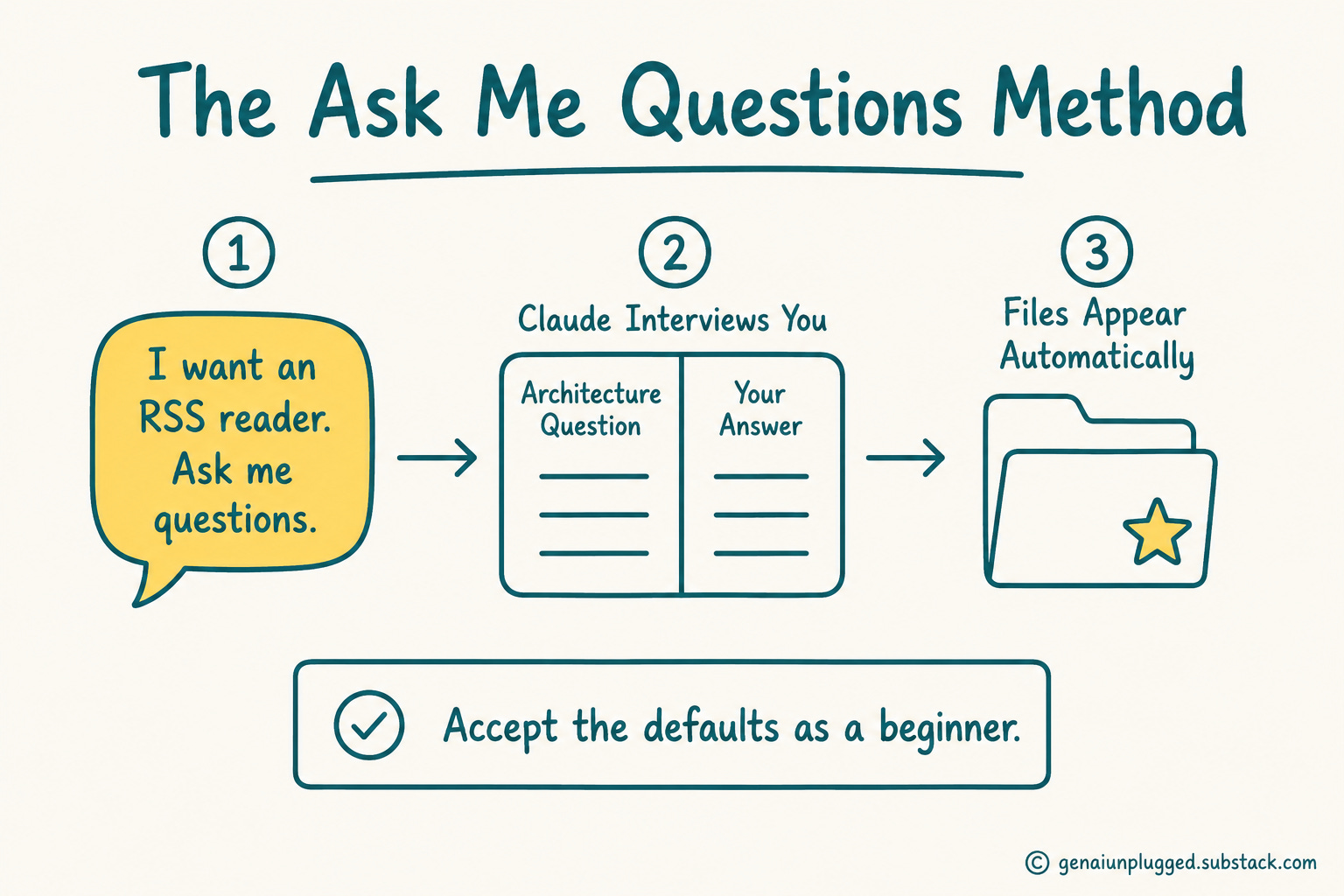
Here is the exact starting prompt Mark used in the live demo:
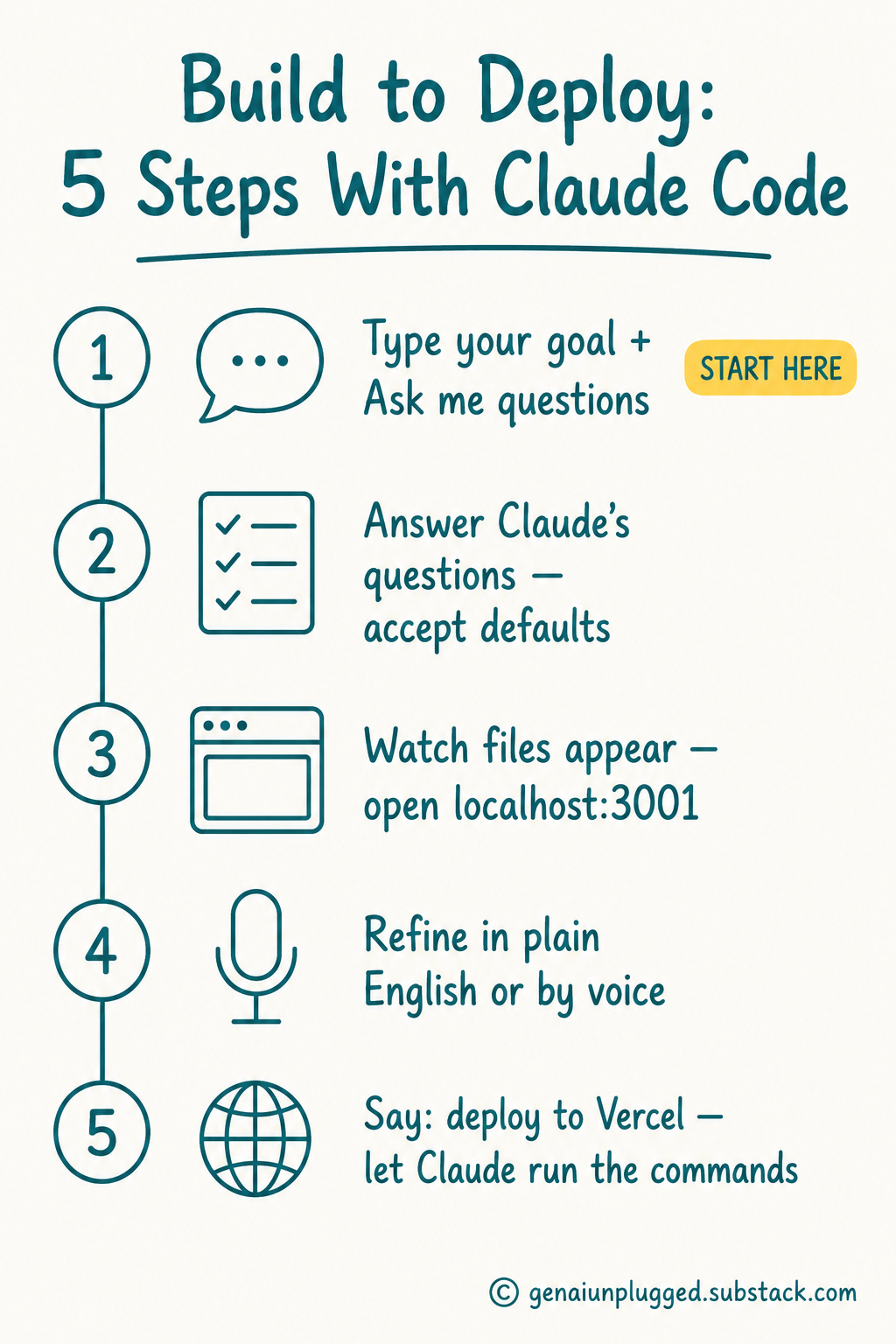
I want to create an RSS reader that’s available for public viewing. Ask me questions.That’s it. Claude responds by interviewing you on every architectural decision before writing a single line of code. It asks about AI features, visual style, deployment target, feed sources, and additional functionality.
For each question, it offers a recommended default.
Mark’s advice: accept the defaults. As a beginner, you do not have enough context to improve on Claude’s recommendations.
If you don’t know which deployment target makes sense, say you’ll follow Claude’s recommendation. Any decision can be revisited and changed after the app exists.
A few things that happen automatically once you accept the setup and Claude begins building:
Files appear in your project folder in real time as Claude writes them
Claude auto-starts a local server, usually at localhost:3001, without being asked
All NPM libraries and dependencies are installed without manual commands
The app is viewable in your browser while still running only on your machine
One practical tip from Mark: if Claude keeps asking for permission before every action, just tell it the prompts are annoying. Claude documents this as a project-level preference and stops. You can also add it to your global instructions so it applies to every future project.
Your PluggedIn assets for this post
claude-project-settings.json - Claude Project Settings (config)
example-rss-reader-session.pdf - Example: What a Complete Build Session Looks Like
01-starter-prompt.pdf - The “Ask Me Questions” Starter Pack
02-ui-refinement-prompts.pdf - UI Refinement Prompt Library
03-deploy-and-qa-prompts.pdf - Deploy + QA Prompt Pack
feed-planning-worksheet.pdf - RSS Feed Planning Worksheet
rss-reader-build-checklist.pdf - RSS Reader Build Checklist

How Do You Refine the UI Without Writing Any Code?
Once the app runs locally, refinement is entirely plain English. Mark demonstrated this live during our session, and the results were immediate and precise.
Layout commands that worked in the demo:
Make the cards 850px wide with the image taking up 30% of the card.
One card per row. Left-hand navigation with feed names.
Add a search bar at the top.
Claude implemented each instruction exactly. When Mark added a dark background and the text became unreadable, Claude caught the contrast problem automatically and fixed it without being asked.
Voice input works too. Mark picked up the microphone mid-session and said “the headlines in each card are too small” out loud. Claude understood and fixed it.
If you spend hours a day in Claude Code, voice input prevents the repetitive strain that comes from typing every instruction.
“I got repetitive stress syndrome when I first started working with Claude because I was on it 12 hours a day. And then I realized, damn, there’s a microphone button right there.” - Mark Miller
One critical cost warning
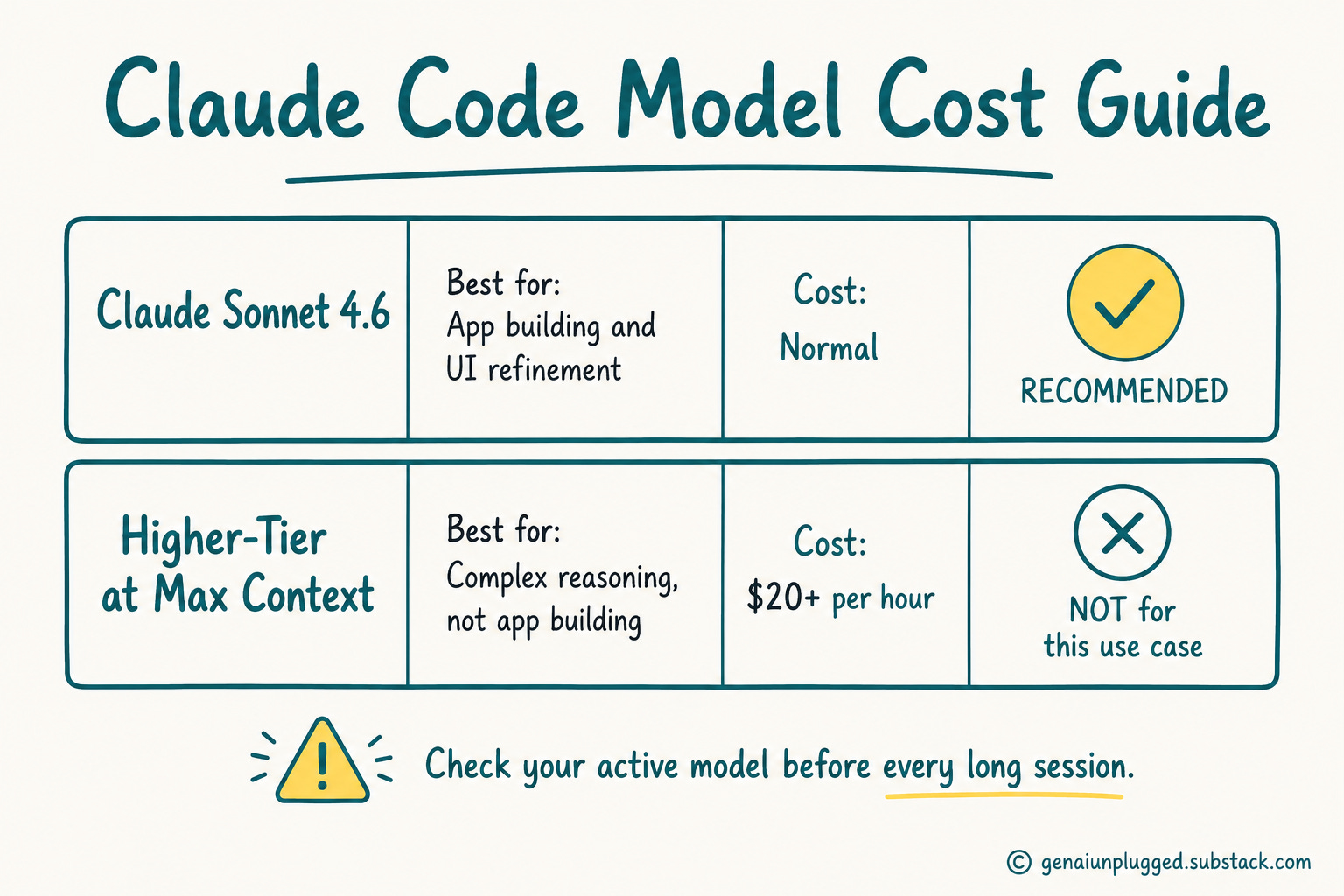
Mark flagged a mistake that cost him $20 in a single hour. He had accidentally set a higher-tier model at 1 million context window.
The right model for app building is Claude Sonnet 4.6. Check which model is active before starting any long session. The setting is easy to overlook and the cost difference is not.
Here is a quick comparison to keep in mind:
Claude Sonnet 4.6
Best for: App building, UI refinement, deployment
Cost level: Normal
Recommended: Yes
Higher-tier models at max context
Best for: Complex reasoning tasks, not app building
Cost level: Can burn $20+ per hour
Recommended: No for this use case
How Do You Deploy to the Web Without Knowing Anything About Hosting?
Deployment through Claude follows the same rule as everything else: keep delegating until Claude says it’s stuck.
In the live session, Mark told Claude to deploy the RSS reader to Vercel. Vercel is a free hosting platform, and Claude handles every step of the process. When Claude asked Mark to run terminal commands, Mark’s response was:
“When Claude told me to open up a terminal and start the server, my answer? You do that.” - Mark Miller
The rule I shared in our session holds here: ask “can you do it for me?” until Claude explicitly says it cannot. Claude will often pause at steps it can actually handle. Always push back before manually running any command yourself.
Claude researched the Vercel CLI, installed it, connected the project, and pushed the deployment.
Wyndo noted in the session that he runs a Vercel plugin directly inside his Claude Code setup, which makes this even smoother.
The end result in both cases is a live URL, no hosting knowledge required.
How Do You Review Your App for Quality Before Making It Public?
Claude has built-in personas you can use as a QA layer. These require no setup. They’re part of Claude’s training.
Mark uses five to seven personas across his projects. The two he recommends before going public with any app:
Ask Claude: “Review this app as a release engineer.” Claude will audit the code it built and flag structural problems. Mark found this particularly funny the first time:
“The release engineer is one of the fun ones for me because it comes back and says, ‘you really did some crappy coding here.’ I’m thinking, Claude, you’re talking to yourself.” - Mark Miller
Then ask: “Review this app as a security engineer.” Claude checks for vulnerabilities before the app is publicly accessible.
Other personas Mark uses: analysis specialist, copy editor, product reviewer. The copy editor persona, he notes, has largely replaced his need for a human copy editor on written work.
The bigger principle here is that MVP builds are for private use. Claude builds fast, not perfectly. The persona review step is what bridges the gap before you share a URL.
Frequently Asked Questions
Do I need to know how to code to build an RSS reader with Claude Code?
No coding knowledge required. Mark Miller built the entire app without writing a single line of code. The approach is to describe the desired outcome, and Claude handles all technical implementation including framework selection, file creation, and dependency management.
What Claude model should I use for building apps with Claude Code?
Use Claude Sonnet 4.6. Mark accidentally ran a higher-tier model at 1 million context window and spent $20 in one hour. Sonnet is sufficient for app building. Check which model is active before starting any long session.
Can I add AI-powered filtering so my reader only shows relevant articles?
Yes. You can ask Claude to add a filtering layer that screens articles before they appear in your feed. For example: “only show me articles about Claude Code.” The filter runs during each refresh so irrelevant content never appears in your reader.
Do I need to know anything about Vercel or web hosting to deploy my app?
No. Tell Claude “let’s deploy to Vercel.” When Claude suggests running terminal commands, respond “you do that.” Claude will research the Vercel CLI, install it, and execute the full deployment. Vercel is free.
Can I pull YouTube channels into my RSS reader alongside newsletters?
Yes. Every YouTube channel has its own RSS feed that Claude can add to your reader. For sites without a native RSS feed, you can ask Claude to build a custom scraper.
Does being polite to Claude actually affect the quality of its responses?
Yes, and Anthropic documented this internally. When users stay calm and direct rather than getting frustrated, Claude produces better responses. Mark sets a global instruction telling Claude not to be “condescendingly agreeable,” which also improves the usefulness of responses.
How do I stop Claude from asking permission on every action?
Tell Claude directly that the permission prompts are annoying. It will document this as a project preference and stop asking. You can also add this instruction to your global settings so it applies across all Claude Code projects.
Key Takeaways
Describe outcomes, not implementations. Tell Claude what you want the app to do, not how to build it. Implementation decisions are Claude’s job, not yours.
Start with “Ask me questions.” This single addition to your opening prompt lets Claude interview you on every design decision before writing any code. Accept the defaults as a beginner.
Watch your model settings. Sonnet 4.6 is the right model for app building. The wrong settings can cost $20 in one hour without warning.
Keep delegating until Claude is stuck. Before running any terminal command yourself, ask “can you do it for me?” Claude can handle more than it lets on.
Use personas before going public. Ask Claude to review as a release engineer and then as a security engineer. These are built-in. No setup required.
The principle scales. Any paid SaaS tool you currently subscribe to can be replicated. Describe what it does, point Claude at the product page, and ask it to build an equivalent.
Voice input prevents burnout. The microphone button in Claude Code is there for a reason. Use it before you develop repetitive strain from typing every instruction.
Your 15-Minute Challenge
Open Claude Code, create a new project folder, and type this exact prompt:
I want to create an RSS reader that’s available for public viewing. Ask me questions.Answer Claude’s questions. Accept the defaults where you’re unsure. Watch the files appear. Open localhost:3001 in your browser.
You don’t need to deploy it today. Running it locally counts as a win. Success looks like this: a working RSS reader showing at least one newsletter in your browser, built by you, in under 15 minutes.
For the full live demo, including UI refinement, deployment, and the persona review walkthrough, watch the full recording in the Substack Live archive.
Next Steps
Now that your reader is live, add an AI filtering layer. Open your app in Claude Code and say: “Add a filter that only shows articles where the title or description mentions [your topic].”
That filter runs on every refresh. Irrelevant content never appears. The same “Ask me questions” approach applies, and it takes under five minutes.


