
The Claude AI Agent For Technical Verification Of Outdated Content (Build Log #5)
Learn how to build a technical content verification agent using Claude Code to catch outdated info and protect your credibility before publishing any content.

Few months back I published a tutorial with wrong pricing data of LLM models.
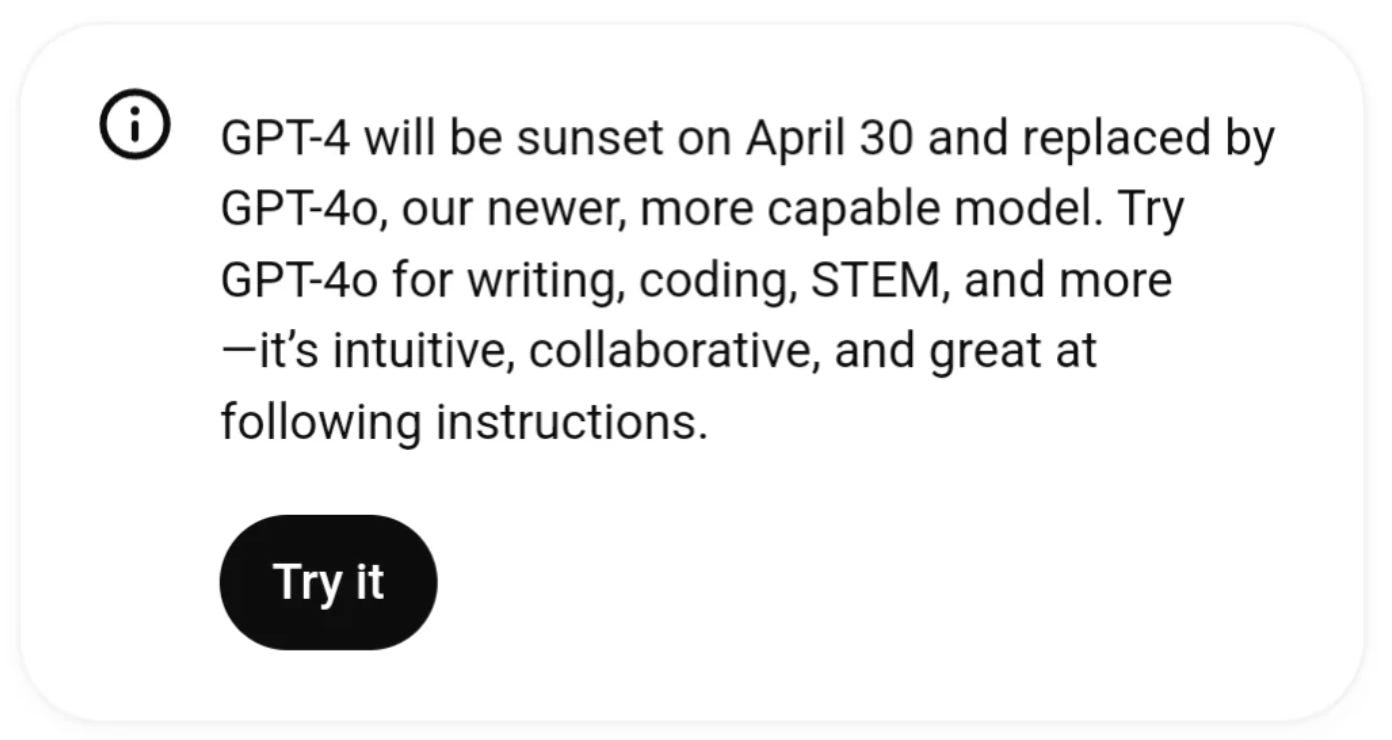
The article explained AI automation costs. I’d written “GPT-4 costs more than some Claude models.” Except GPT-4 doesn’t exist in OpenAI’s pricing, GPT-4 has been retired in April 2025. It’s GPT-4.1 and GPT-5.2 now. And the pricing comparison was completely wrong.
A reader caught it. Commented publicly. “Your GPT-4 pricing is from 2024. Current GPT-4.1 costs compares to Claude Sonnet.”
Embarrassing. But worse than embarrassing, it was misleading. Readers making budget decisions based on my article would get the wrong numbers.
Technical Debt of Content Creation
Technical content in the age of AI has a short shelf life.
APIs change quarterly. UIs update monthly, may be weekly now.
Commands get renamed without warning.
A tutorial written 3 months ago may already be broken.
This is the technical debt of content creation.
Most creators don’t verify because it demands more research work. They write from memory or knowledge cut-off of the LLM model they are using. They assume things haven’t changed, publish, and hope for the best. When something breaks, they fix it after a reader complains. That’s reactive credibility damage.
And we all know that AI will hallucinate and make up numbers in our drafts leaving you exposed to this credibility damage.
So I built a Technical Verifier Claude subagent that catches these issues BEFORE publication.
it extracts every technical claim from an article,
verifies against current official documentation, and
generates a report with issues and fixes.
This is Article 5 in the PubFlow OS Agents series, where I’m building a complete content automation system, one agent at a time. Each article includes my actual build log: timestamps, decisions, and what really happened.
How do I build a technical verification agent?
Create a Claude Code subagent that reads your article, extracts technical claims (commands, code, pricing, UI paths), then uses Perplexity to find current documentation and Firecrawl to scrape official sources. The agent compares your claims against reality and generates a detailed verification report while never auto-fixing and always reporting.
By the end of this article, you’ll build a Technical Verifier AI Agent that catches outdated content before your readers do.
What Does the Technical Verifier Actually Do?
Here’s what using this Claude subagent looks like.
I have a draft article about AI automation costs. Before publishing, I run:
/verify ready-to-publish/62-2026-02-12-ai-automation-costs-budget/article.md90 seconds later, I have a verification report:
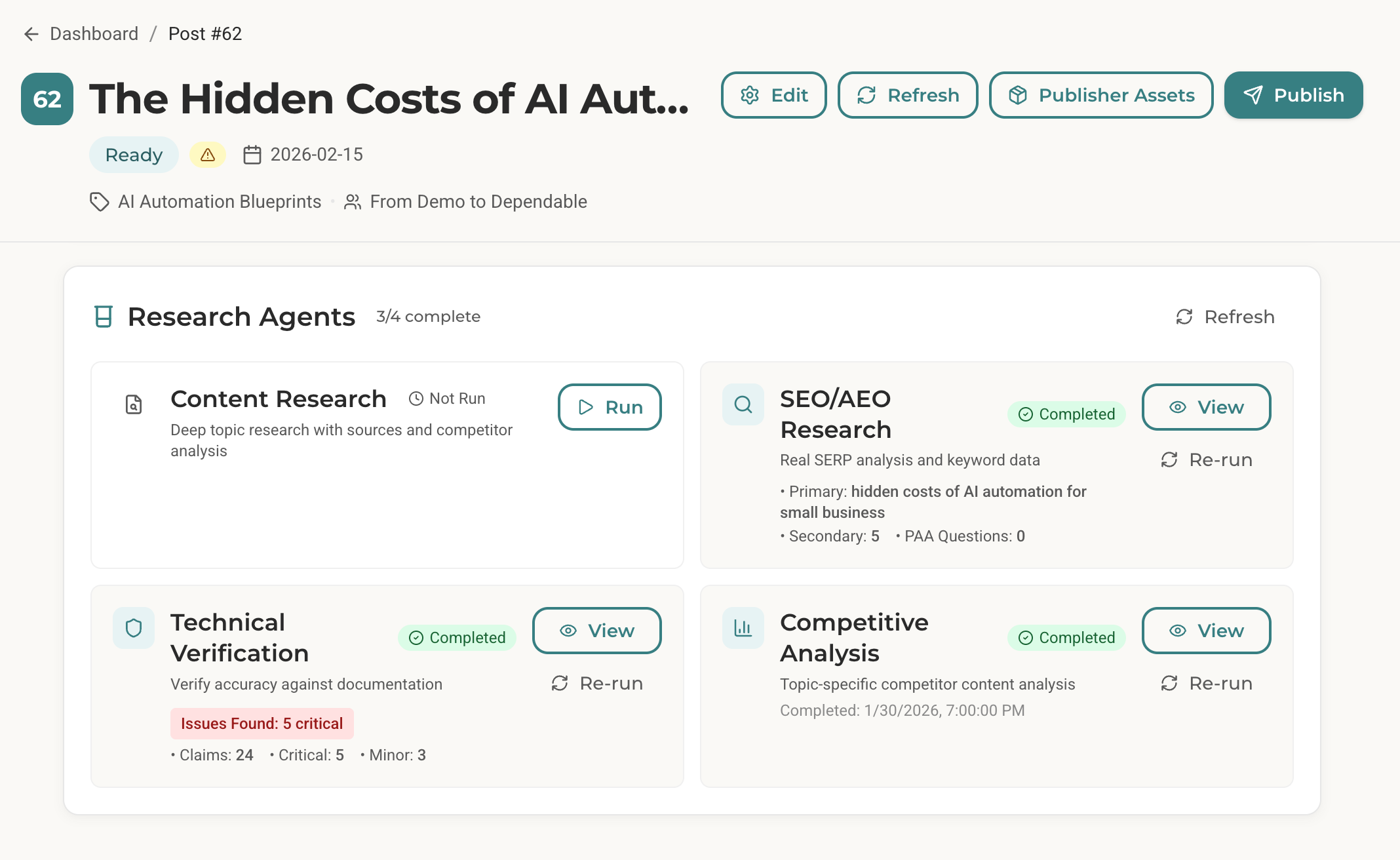
Claims Checked: 24
Issues Found: 8 (5 critical, 3 minor)
Verified Accurate: 16
Publish Status: NOT READY
Here’s what the critical issues looked like:
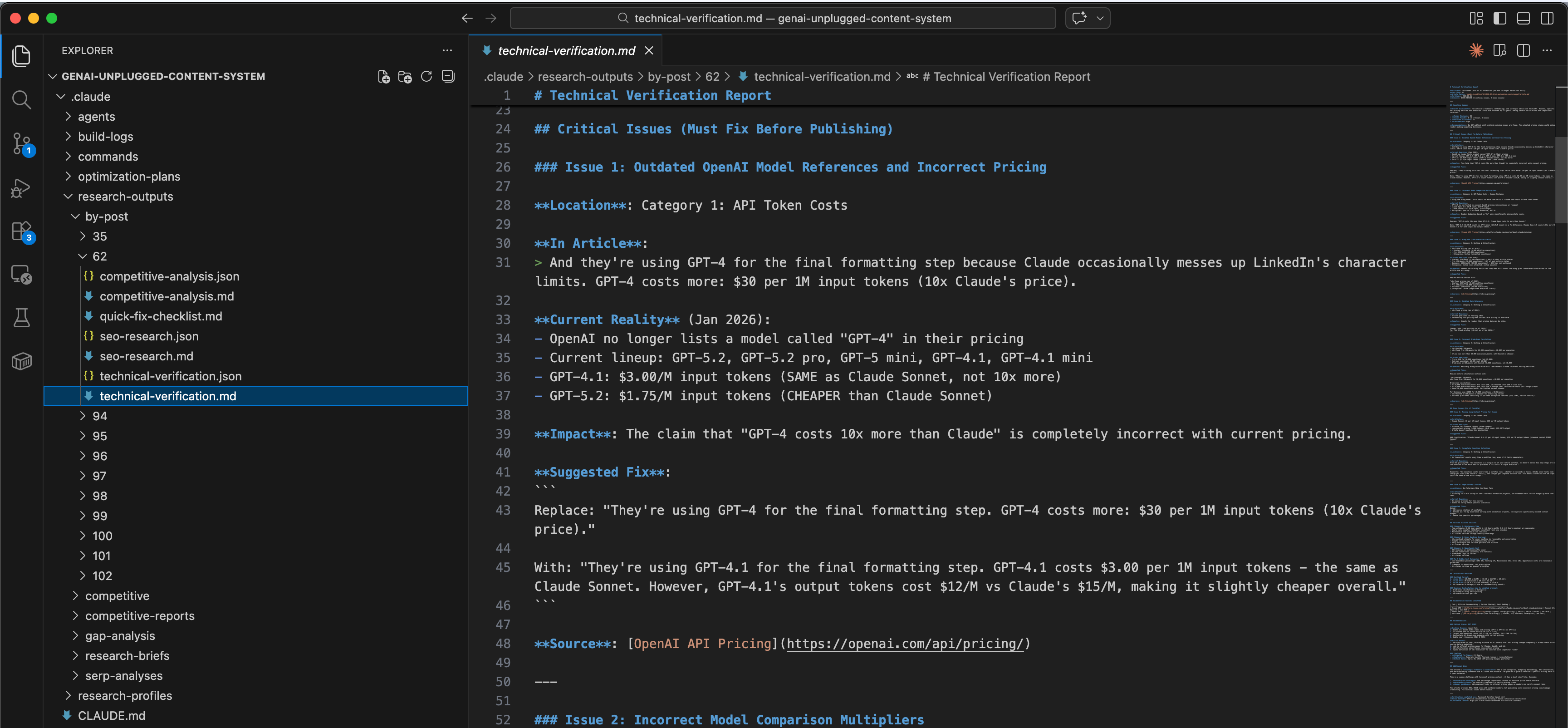
## Critical Issue 1: Outdated OpenAI Model References

**In Article**: > GPT-4 costs more: $30 per 1M input tokens (10x Claude's price)

**Current Reality** (Jan 2026): - OpenAI no longer lists a model called "GPT-4" - Current lineup: GPT-5.2, GPT-5.2 pro, GPT-4.1, GPT-4.1 mini - GPT-4.1: $3.00/M input tokens (SAME as Claude Sonnet, not 10x more)

**Source**: [OpenAI API Pricing](https://openai.com/api/pricing/)

**Suggested Fix**: > Replace "GPT-4 costs 10x more" with "GPT-4.1 costs $3.00/M input tokens - the same as Claude Sonnet"
## Critical Issue 3: Wrong n8n Cloud Execution Limits
**In Article**: > - Starter: $20/month (5,000 workflow executions) > - Pro: $50/month (25,000 executions)
**Current Reality** (Jan 2026): - Starter: $20/month (2,500 executions) - HALF of what article states - Pro: $50/month (10,000 executions) - 40% of what article states
**Impact**: Readers calculating which tier they need will select the wrong plan.
**Source**: [n8n Pricing](https://n8n.io/pricing/)The agent found 5 critical issues that would have broken my credibility.
Outdated model names, wrong pricing comparisons, incorrect execution limits.
All things my AI content pipeline wrote in draft from it’s last memory assuming nothing had changed. Of course, I overlooked during the review process too because it demanded more work.
The framework and methodology in the article were excellent. But the specific numbers were many months outdated.
Without verification, I would have published misleading content.
How Does This Technical Verifier AI Agent Fit Your Workflow?
Here’s how the Technical Verifier fits my actual workflow:
Before Publication:
1. Finish draft: /draft-post 62 (Post ID from my Notion Database)
2. Review and edit manually
3. Run verification: /verify drafts/62-*-draft.md
4. Fix critical issues
5. Run verification again (confirm fixes)
6. Finalize: /finalize-post drafts/62-*-draft.md
For Existing Published Content:
1. Quarterly audit: Verify top 5 most-viewed articles
2. Fix any issues found
3. Update "last verified" dates
The Technical Verifier runs AFTER writing, BEFORE publishing. It’s the final quality gate that catches what manual review misses.
Verification Depth Levels
The agent supports three depth levels:
Quick → Major claims only | 30s | Quick sanity check
Standard → All explicit claims | 90s | Normal publication
Deep → Claims + implied assumptions | 3min | Critical tutorials
Default: Standard. Use Deep for flagship technical content.
Why Technical Verification Matters More Now
Here’s what’s changed in the last 2 years:
APIs & pricing change faster than ever. - OpenAI or Claude launches models every 3-4 months, AI tools update pricing and limits frequently
LLMs can’t verify themselves. - ChatGPT or Claude models training data cuts off is in mid 2025 as of Feb 2026. It can’t tell you current models, documentation or pricing is. It will confidently generate outdated information
Reader expectations are higher. - Technical audiences fact-check. Wrong info gets called out. One wrong tutorial damages long-term credibility
This is why the Technical Verifier uses REAL web research. Perplexity for current research, Firecrawl for fetching official documentation. Not LLM imagination. Real data augmentation and verification.
What Results Can You Expect from This Agent?
Here is my cost and effort breakdown if I continued to use the same tooling for GenAI Unplugged that I used to use for my travel blog.
Before this agent:
30+ minutes per article on manual doc checking (usually skipped)
Readers catch errors publicly (credibility damage)
Outdated content lingers for months
No systematic verification process
After this agent:
90 seconds per article for comprehensive verification
Catch errors before publication (credibility protection)
Clear report of what needs fixing
Systematic process for all technical content
ROI Calculation:
Time saved: 28 minutes per article × 4 articles/month = 112 minutes/month
Credibility saved: Priceless (but real)
Cost per verification: ~$0.20
The math works. But the real value isn’t time, it’s the errors you DON’T publish. One wrong tutorial damages credibility for months. The Technical Verifier prevents that damage before it happens.
What Does Real Verification Output Look Like?
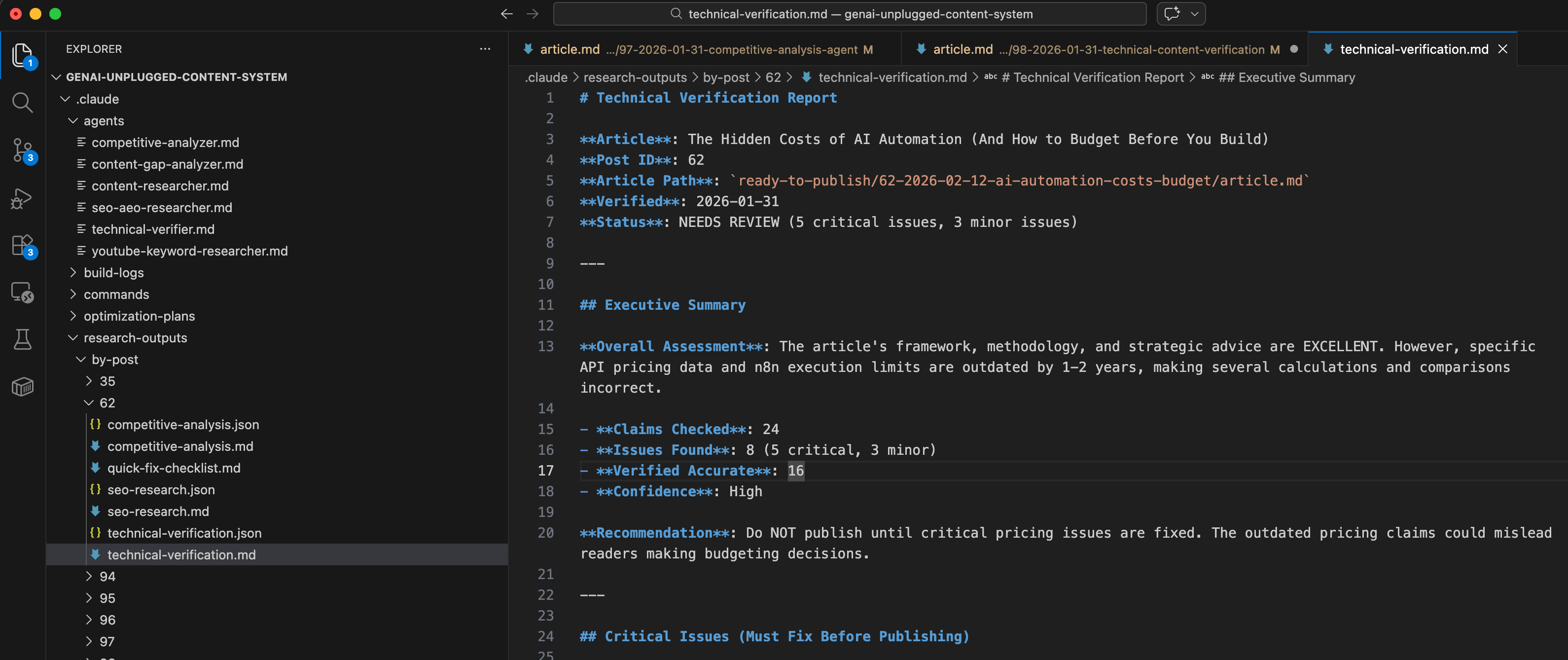
Here’s the actual verification report from Post #62 (AI automation costs article):
Executive Summary:
## Executive Summary

**Overall Assessment**: The article’s framework, methodology, and strategic advice are EXCELLENT. However, specific API pricing data and n8n execution limits are outdated by 1-2 years, making several calculations and comparisons incorrect.

- **Claims Checked**: 24
- **Issues Found**: 8 (5 critical, 3 minor)
- **Verified Accurate**: 16
- **Confidence**: High

**Recommendation**: Do NOT publish until critical pricing issues are fixed. The outdated pricing claims could mislead readers making budgeting decisions.
Critical Issue: Model Comparison
### Issue 2: Incorrect Model Comparison Multipliers

**Location**: Category 1: API Token Costs - Common Mistakes

**In Article**:
> Using the wrong model. GPT-4 costs 10x more than GPT-3.5. Claude Opus costs 3x more than Sonnet.

**Current Reality**:
- GPT-3.5 is not listed in current OpenAI pricing (discontinued or renamed)
- Claude Opus 4.5: $5/M input, $25/M output
- Claude Sonnet 4.5: $3/M input, $15/M output
- Multiplier: Opus is 1.67x more expensive, NOT 3x

**Impact**: Readers budgeting based on “3x” will significantly miscalculate costs.

**Suggested Fix**:
```
Replace: “GPT-4 costs 10x more than GPT-3.5. Claude Opus costs 3x more than Sonnet.”

With: “GPT-5.2 ($1.75/M input) vs GPT-5 mini ($0.25/M input) is a 7x difference. Claude Opus 4.5 costs 1.67x more than Sonnet 4.5 for both input and output tokens.”
```

**Source**: [Claude API Pricing](https://platform.claude.com/docs/en/about-claude/pricing)
Verified Accurate Sections:
## Category 3: Maintenance Time
- Time estimates (8-12 hours month 1, 4-6 hours months 2-3, 2-3 hours ongoing) are reasonable
- Hourly rate examples ($150/hour consultant rate) are standard
- Maintenance task examples are realistic
- All claims verified through industry knowledge

### Category 4: Error Handling Overhead
- 15% overhead estimate for error handling is reasonable and conservative
- Example calculations are mathematically correct
- Retry strategies and fallback patterns are accurate
- All claims verified

### Category 5: Opportunity Cost
- ROI formulas are mathematically sound
- VA rate comparisons ($15/hour) are realistic
- Break-even logic is correct
- All claims verified
The report told me exactly what was wrong, where it was wrong, and what to fix. It also confirmed what was RIGHT, so I didn’t waste time re-checking accurate sections.
What Foundation Do You Need Before Building This Claude AI Agent?
RULE: Every agent you build follows the same foundation we set up in Article 1.
In the first article of this series, we set up the Claude Subagents Building Starter Kit. This includes:
Claude Code CLI installed (
curl -fsSL https://claude.ai/install.sh | bash)MCP servers configured (Perplexity, Firecrawl)
Folder structure for agents (
.claude/agents/)API keys for Perplexity and Firecrawl
Research profile files (business context, content strategy)
Here’s the 5-minute catch-up:
Quick Checklist:
Do you have Claude Code CLI? (Check:
claude --version)Do you have free Perplexity API key? (Get it: perplexity.ai/api)
Do you have free Firecrawl API key? (Get it: firecrawl.dev)
Are MCP servers configured in Claude Code? (Check settings)
Are your research profile files set up?
If you followed Articles 1-4 (just below), you’re ready to build. If you’re joining now, head to Article 1 for foundation setup.


What Happens Next?
You’ve built agents that research topics, analyze keywords, and monitor competitors. Those agents help you create better content. This one protects the content you’ve already created.
Those agents gather intelligence. This one guards your credibility.
Here’s what you’re unlocking:
High-Stakes Protection → Wrong technical information doesn’t just look bad, it actively harms readers. Someone following your tutorial with outdated commands will hit errors. Someone budgeting based on wrong pricing will make incorrect decisions. This agent catches those issues before you hit publish.
Real Verification, Not LLM Imagination → The agent uses Perplexity for current data and Firecrawl for official documentation. It doesn’t rely on training data that’s months outdated. It checks what’s actually true right now.
Human Judgment Where It Matters → The agent reports issues but NEVER auto-fixes. Is this a critical error or a minor nitpick? Should you rewrite the section or add a disclaimer? That’s your call, not the agent’s.
30 Minutes → 90 Seconds → Manual documentation checking takes 30+ minutes per article. Cross-referencing pricing pages, verifying commands, checking changelogs, it’s tedious work that most creators skip entirely. This agent does it in 90 seconds.
The verification methodology below is the engine. Your article is the input.
Get PluggedIn
PluggedIn members get 25% off the Agents Toolkit - plus full download packs for every other article in this publication.

How Do You Create the Technical Verifier Agent?
Create .claude/agents/technical-verifier.md:
