
AI Content Multiplication System to 10x Your Output Fast [Claude Code for Beginners]
Use an AI content multiplication system with Claude Code to triple your output and keep your brand voice consistent. Learn the proven automation system.

You’re publishing on LinkedIn, writing newsletters, creating blog posts, recording YouTube videos. Somehow, you still feel behind.
The content quality is there. You know your stuff. But the volume isn’t keeping up with what you know you should be doing.
If you followed Lesson 3, you’ve already 3x’d your output using Claude Projects. You’ve got your brand voice document. You know the 3-pass process. You can draft a newsletter in 20 minutes instead of 60.
But here’s what happens next:
You write that newsletter,
then put effort adapting it for LinkedIn post,
rewriting it for Twitter and Substack,
elaborating it for your blog post,
condensing it for your email list.
You’re still doing multiplication the hard way one platform at a time.
This lesson takes what you learned in Claude Projects and automates it. Same brand voice principles. Same content type templates. But instead of chatting through each piece, you run one command and get everything at once.
How do I scale content production without burning out?
Build a content multiplication system that transforms one source piece into 10+ platform-specific formats in under 10 minutes. Instead of creating each piece from scratch, you create once and systematically reformat using AI.
This article shows you how to build a content multiplication engine using Claude Code. You’ll describe your workflow in plain English, Claude Code writes all the scripts, and you end up with a system that turns one article into 10+ content pieces in the time it used to take to write one social post.
What you’ll have by the end:
A working command-line system that reads your source content,
generates multiple platform-specific pieces, and
organizes everything in a content calendar.
Setup takes 75-90 minutes depending on your starting point. Your first batch runs the same day.
What is Claude Code?
Claude Code is an AI coding agent tool from Anthropic that builds systems for you. It integrates the Claude AI models directly into a developer’s terminal allowing natural language commands to automate tasks and build systems.
The Word “Code” Shouldn’t Scare You
Let me get this out of the way first:
Claude Code isn’t just for programmers.
I know what you’re thinking. It’s got “Code” in the name. It runs in a terminal. It must be for developers doing developer things, right?
Wrong. Here’s what Claude Code actually is:
Claude Code is a conversation partner that can do things on your computer. Yes, it writes code when needed. But it also organizes files, creates documents, builds utilities, launches apps, and solves real problems you describe in plain English.
I used it to build a native macOS backup app and I’m not a Swift developer.
Why use Claude Code for Content Multiplication?
Here’s the evolution:
In Lesson 3, you built a Claude Projects system that drafts content in your voice. That’s powerful for interactive work when you want to think alongside the AI. But when you need batch output like five LinkedIn posts, ten tweets, three newsletter sections, two video scripts, and 10 Substack notes all at once, Claude Projects requires you to manually chat through each piece.
That’s slow.
Claude Code takes your same brand voice principles and automates the multiplication. You describe your workflow once, Claude Code builds the system, and you run it whenever you need content.
No more repetitive conversations. No workflow diagrams. No hosting. Just describe your needs in plain English and get working code.
When to use alternatives like n8n and not Claude Code:
If you need content auto-published to platforms while you sleep or integrates multiple disparate, n8n excels at that.
If you prefer interactive back-and-forth drafting for each piece, Claude Projects is better. But for batch content generation you control? Claude Code wins.
What You’re Building: The Content Multiplication Engine
You’re building a system with four components:
Source Material Processor: Reads your blog posts or transcripts and extracts key points, quotes, and themes
Multi-Format Content Generator: Takes those key points and creates platform-specific content using Claude’s API
Brand Voice Consistency Layer: Ensures everything sounds like you, not generic AI output
Content Calendar Builder: Organizes all generated content with publishing dates and platforms
Expected outcomes:
Turn 1 source article into 10+ content pieces in under 10 minutes
Maintain your brand voice across all formats
Get an organized content calendar showing what to publish when
Reusable system you run weekly or monthly
Time to build: 75-90 minutes for setup, 8-10 minutes per content batch after that.
Step 1: Install Claude Code (5 Minutes)
Claude Code runs in your terminal and needs a one-time setup.
Prerequisites:
A Claude subscription (Pro, Max, Teams, or Enterprise) - get one at claude.ai
Terminal access (Mac Terminal, Windows PowerShell, or Linux terminal)
1.1 Native Installation command (recommended):
macOS, Linux, WSL:
curl -fsSL https://claude.ai/install.sh | bashWindows PowerShell:
irm https://claude.ai/install.ps1 | iexWindows CMD:
curl -fsSL https://claude.ai/install.cmd -o install.cmd && install.cmd && del install.cmd1.2 Start Claude and Log in to your account
When you first start the Claude Code session, you will be prompted to log in.
Open terminal and write:
claude
# You'll be prompted to log in on first use
/login
# Follow the prompts to log in with your accountYou can log in using any of these account types:
Claude Pro, Max, Teams, or Enterprise (recommended)
Claude Console (API access with pre-paid credits)
Once logged in, your credentials are stored and you won’t need to log in again.
Test your setup:
claude --versionYou should see the version number. If you get an error, restart your terminal and try again.

Step 2: Create Your Content Workspace (Project)
Navigate to where you want your content system to live. You should create different folders called workspaces for different projects.
I use Documents folder in macOS as base folder for all my differet project workspaces. You can use any local you like on your system.
cd ~/Documents
mkdir content-multiplier
cd content-multiplier
This creates a dedicated folder for your content-multiplier system. Everything Claude Code builds will live here for this system.
Start Claude Code:
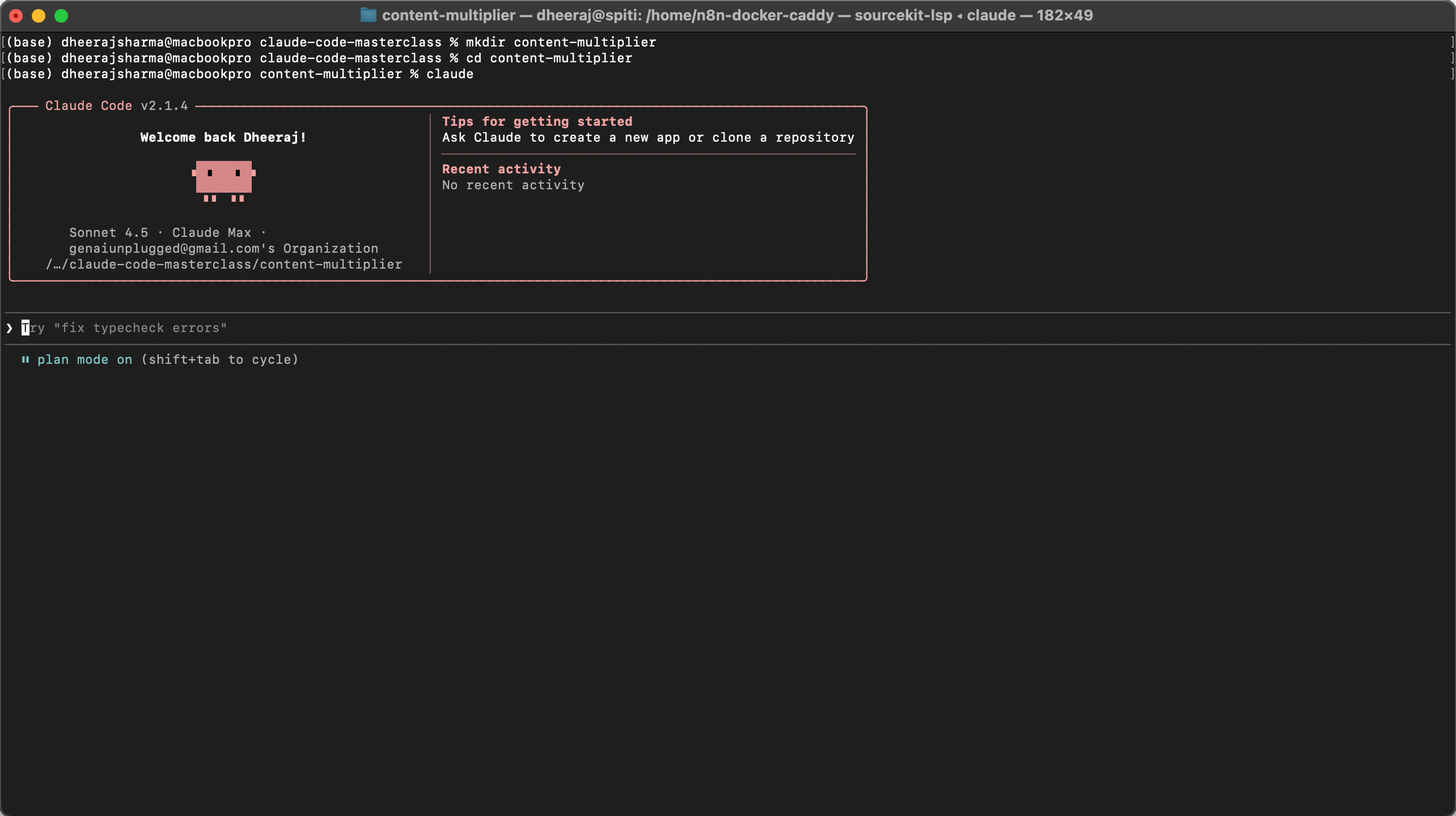
claudeYou’ll see a welcome message and a prompt. Claude Code is now listening and ready to build whatever you describe.
Step 3: Tell Claude Code What to Build (35-40 mins)
Here’s where the magic happens. You describe your content workflow in plain English, and Claude Code writes all the code.
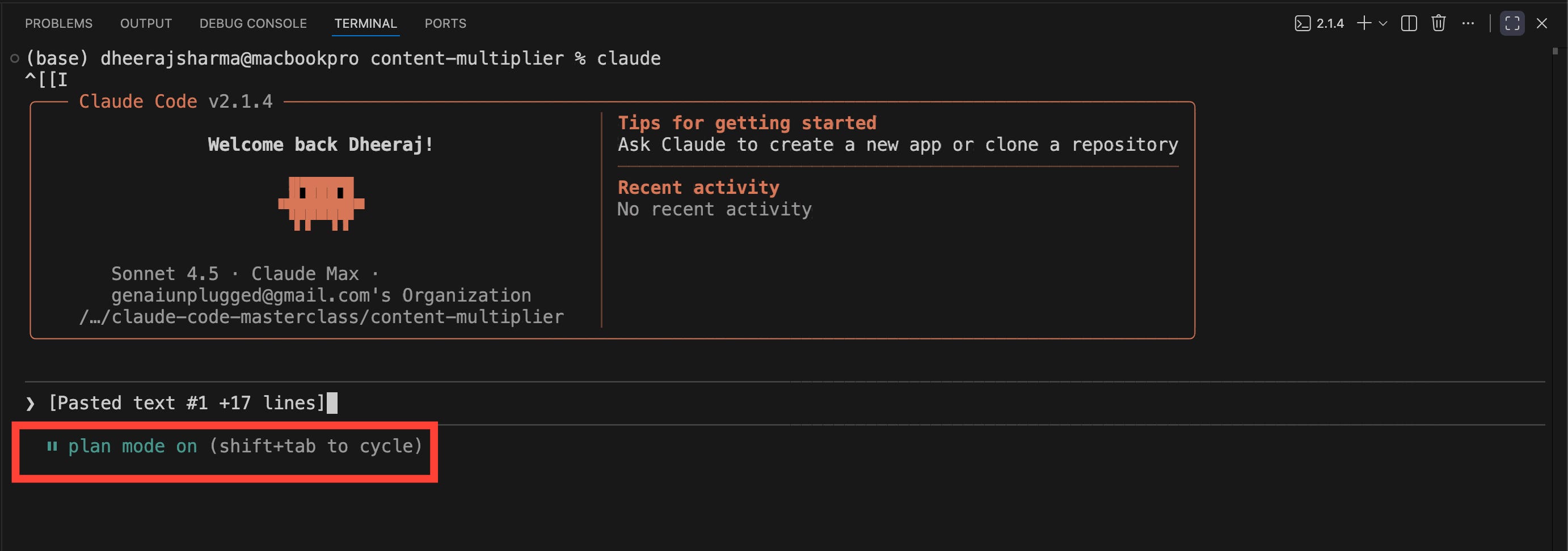
By default, the Claude will be running in Plan mode.
What is Plan mode in Claude Code?
Plan Mode in Claude Code is a read-only phase used for research and planning. In this mode, Claude first understand what user is asking, then it reviews the codebase (if exist), looks through files, and builds a clear step by step plan for complex tasks without changing any code or running commands.
This makes it a safe way to think through ideas and get approval before making edits. You can activate it by pressing Shift and Tab twice. It works like an architect mode that helps with understanding the system, exploring structure, and planning any changes before starting actual implementation.
Now that you understand it, let’s continue.
3.1 Copy and paste this prompt into Claude Code:
I need a content multiplication system that works like this:

1. I have source content (blog posts, articles, or transcripts) in Markdown files
2. I want to generate multiple content pieces from each source:
   - 5 LinkedIn posts (engaging, professional, 150-200 words each)
   - 10 tweets (punchy, under 280 characters)
   - 3 newsletter sections (conversational, 200-300 words)
   - 2 YouTube video scripts (structured with intro/main/outro)
3. All generated content should:
   - Maintain my brand voice (casual, practical, no jargon)
   - Pull actual quotes and examples from source material
   - Be saved in organized folders by content type
   - Include a content calendar showing what to publish when
4. I want to run this with a simple command like: node generate.js source-article.md

Think step by step about it and build this system for me. Create all necessary files, scripts, and folder structure.

Make sure to ask questions or push back if required at any stage. I always welcome other suggestions or alternatives as well that will make this content multiplication system more successful.
What happens next?
Claude Code analyzes your request and being in plan mode, it will ask you various questions so that the system works as per your expectations.
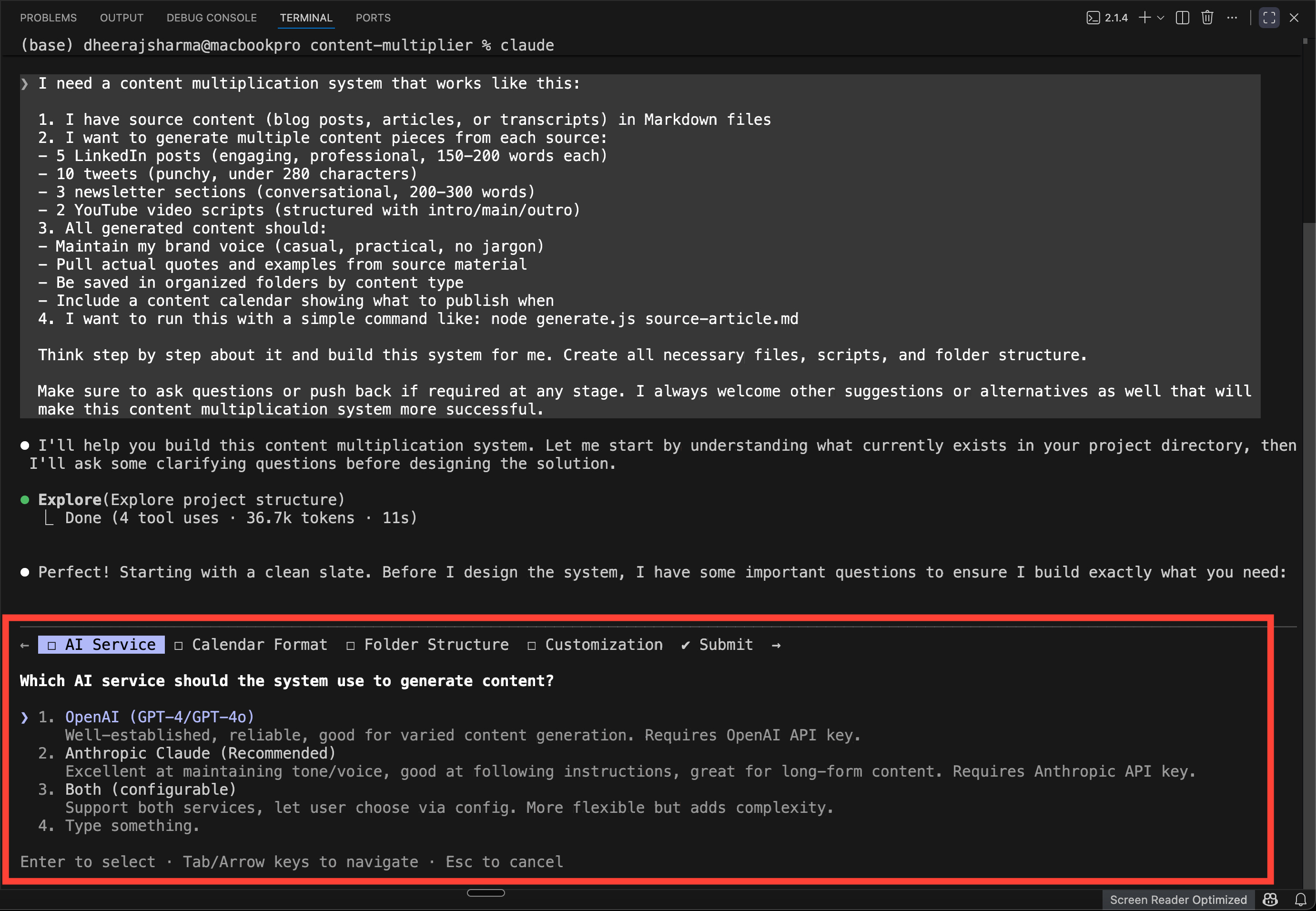
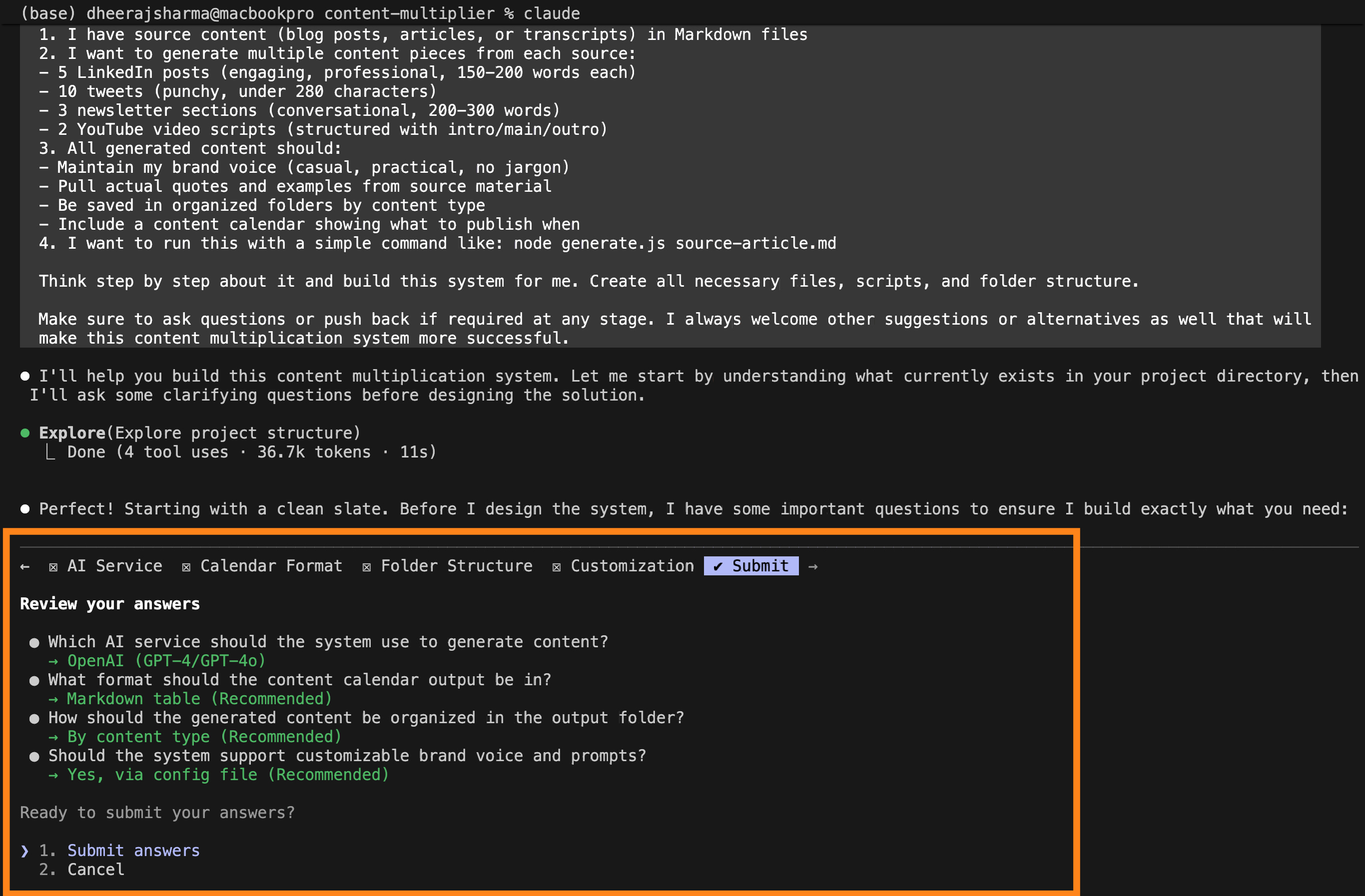
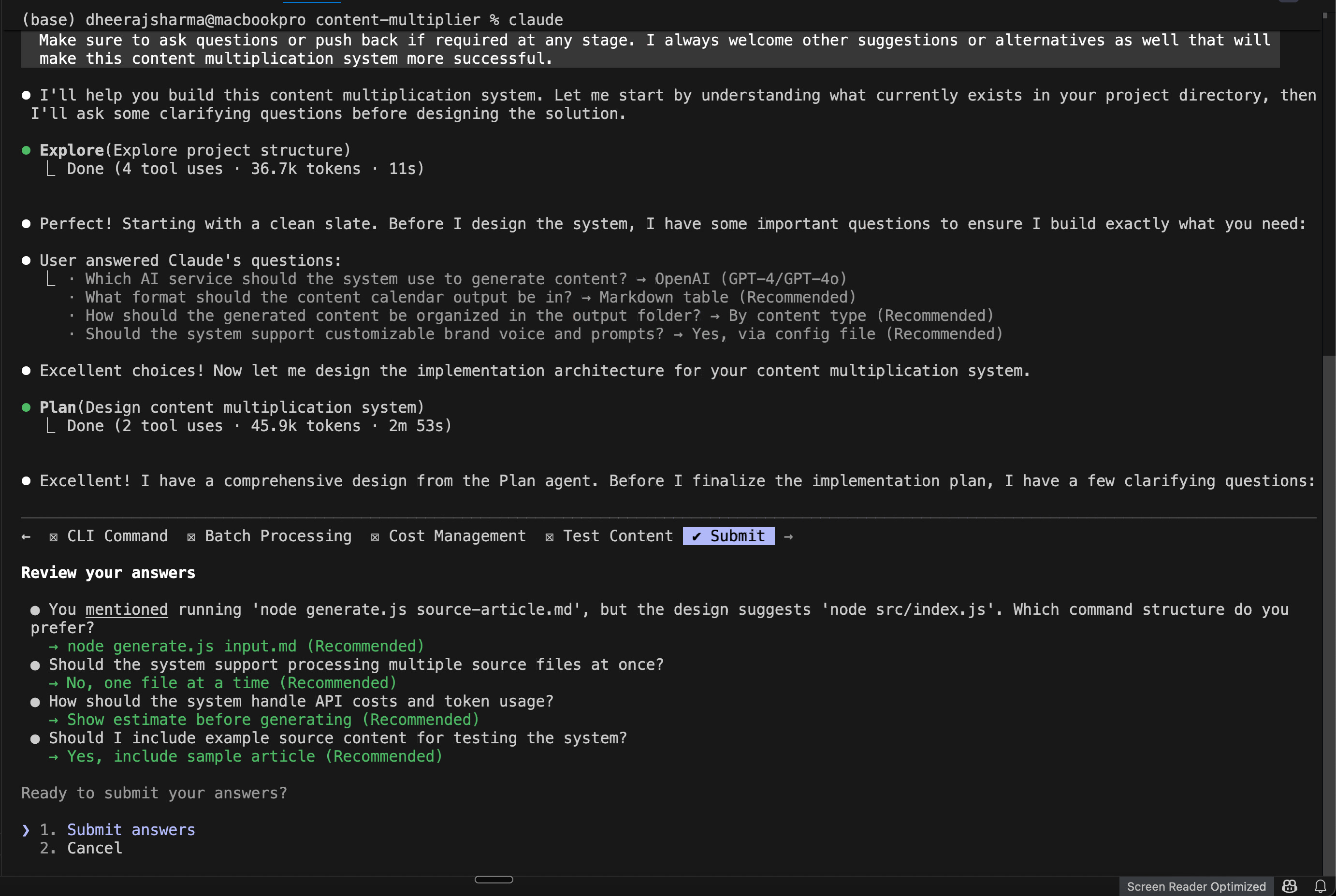
Here are all the questions it asked me during the plan mode and my answers:
Which AI service should the system use to generate content?
(Anthropic Claude (Recommended))
Excellent at maintaining tone/voice, good at following instructions, great for long-form content. Requires Anthropic API key.
What format should the content calendar output be in?
Markdown table (Recommended)
Easy to read in any text editor, can be committed to git, human-friendly.
How should the generated content be organized in the output folder?
By content type (Recommended)
output/linkedin/, output/tweets/, output/newsletter/, output/youtube/ - Easy to find all content of one type.
Should the system support customizable brand voice and prompts?
Yes, via config file (Recommended)
Create a config.json where you can specify brand voice, tone guidelines, and customize prompts for each content type.
I mostly chose recommended answers to its questions but you can make your own choices.
It may ask another set of questions, answer them as per your needs.
You mentioned running ‘node generate.js source-article.md’, but the design suggests ‘node src/index.js’. Which command structure do you prefer?
→ node generate.js input.md (Recommended)
Should the system support processing multiple source files at once?
→ No, one file at a time (Recommended)
How should the system handle API costs and token usage?
→ Show estimate before generating (Recommended)
Should I include example source content for testing the system?
→ Yes, include sample article (Recommended)
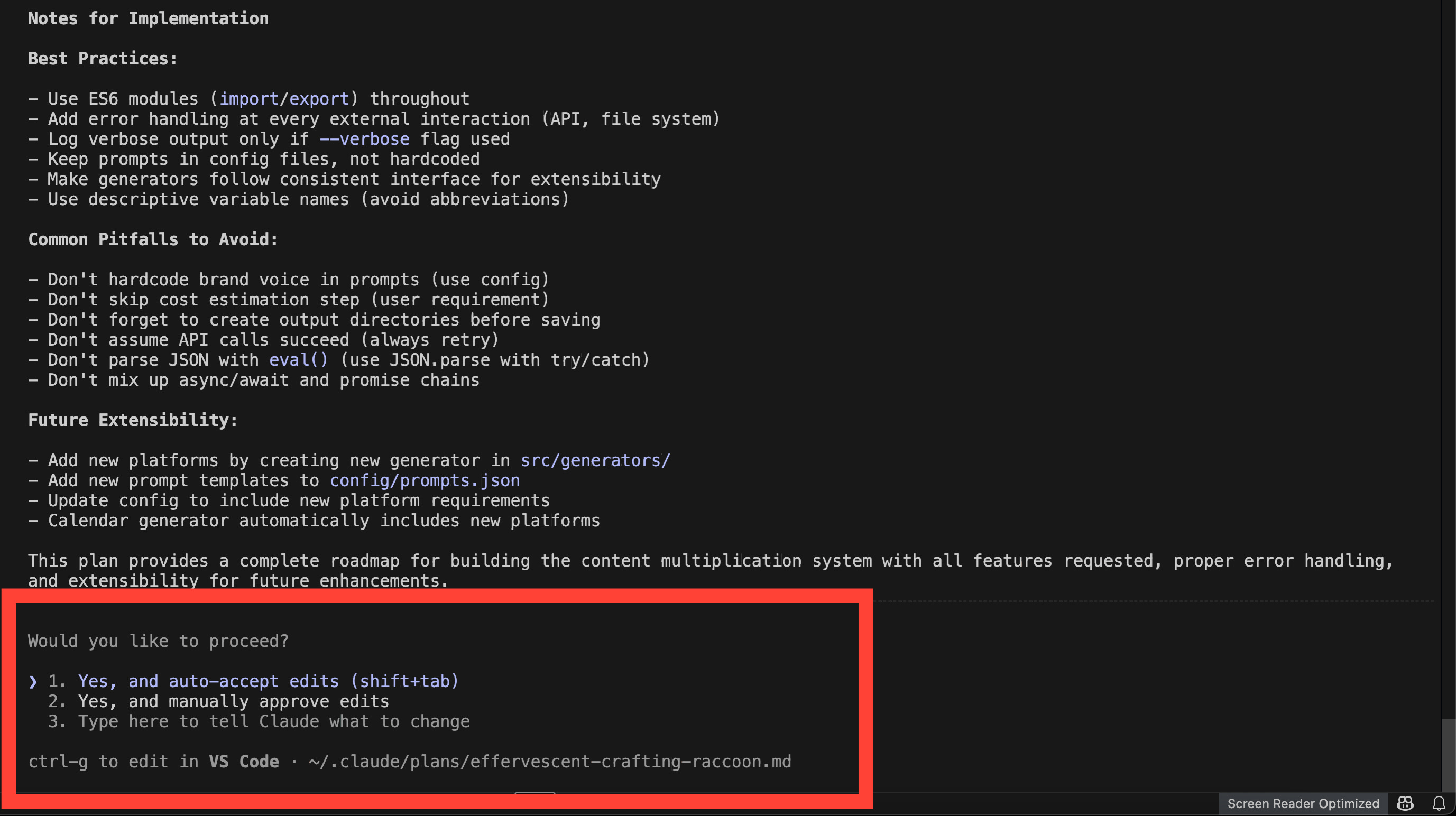
3.2 Review Claude Code Implementation Plan
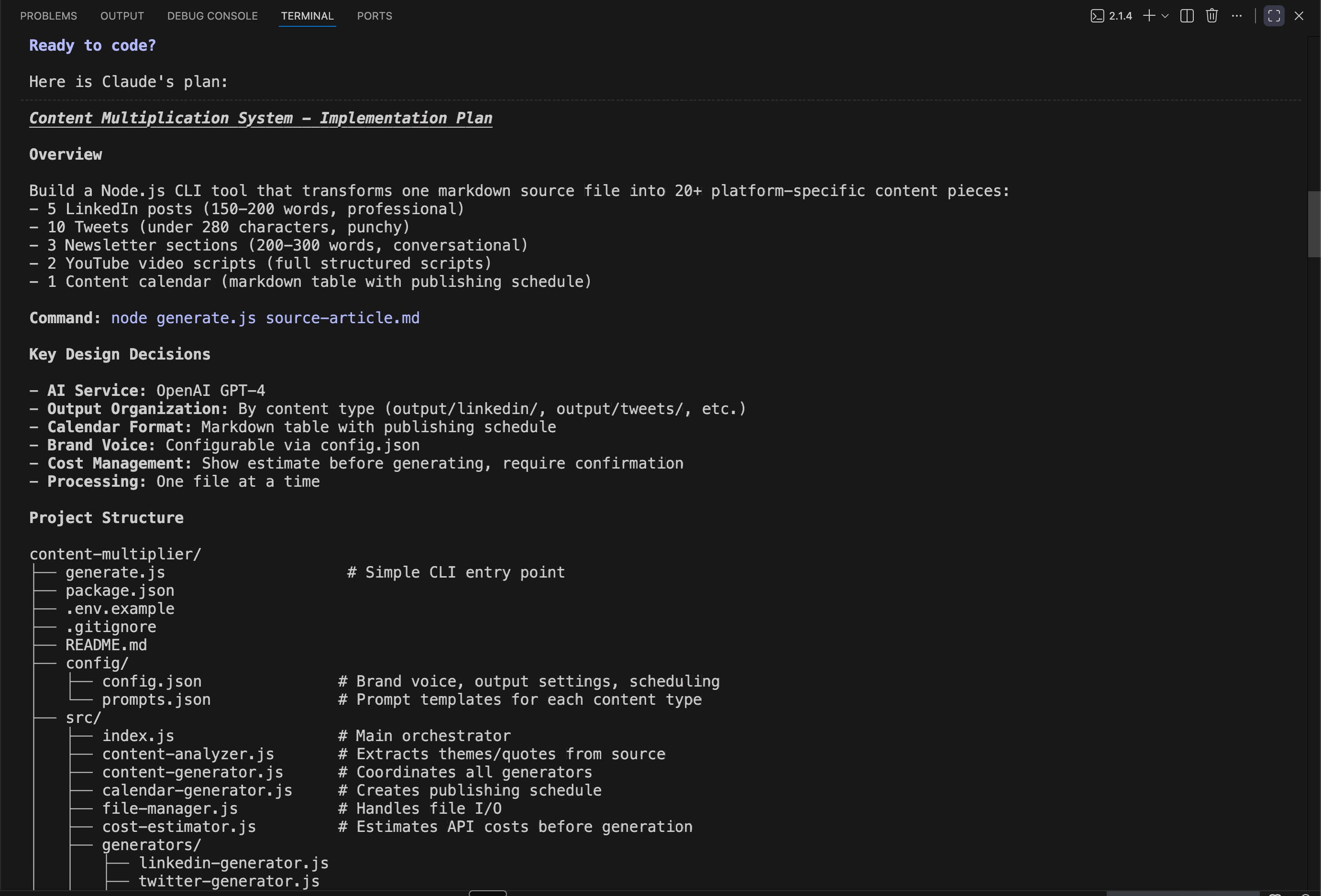
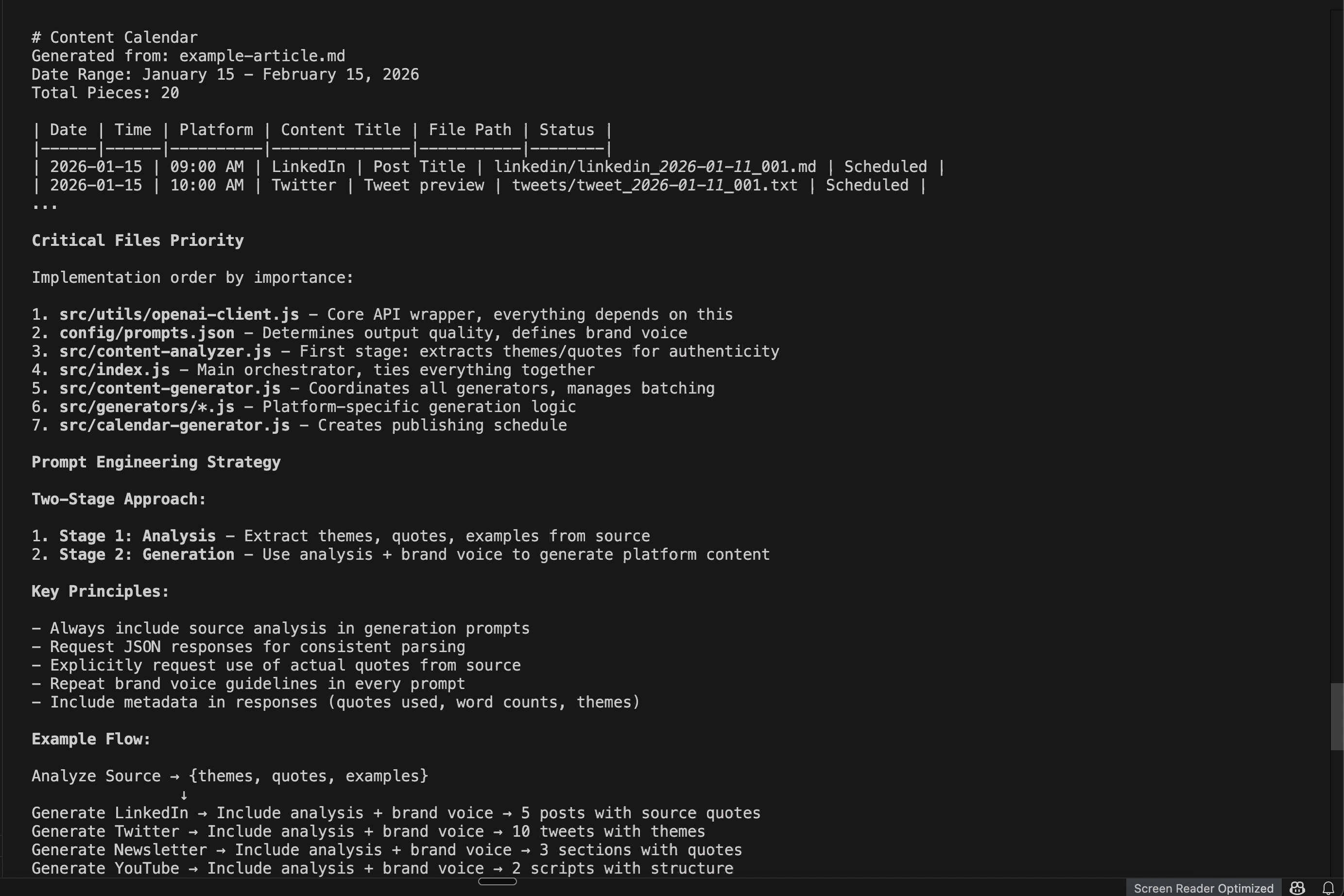
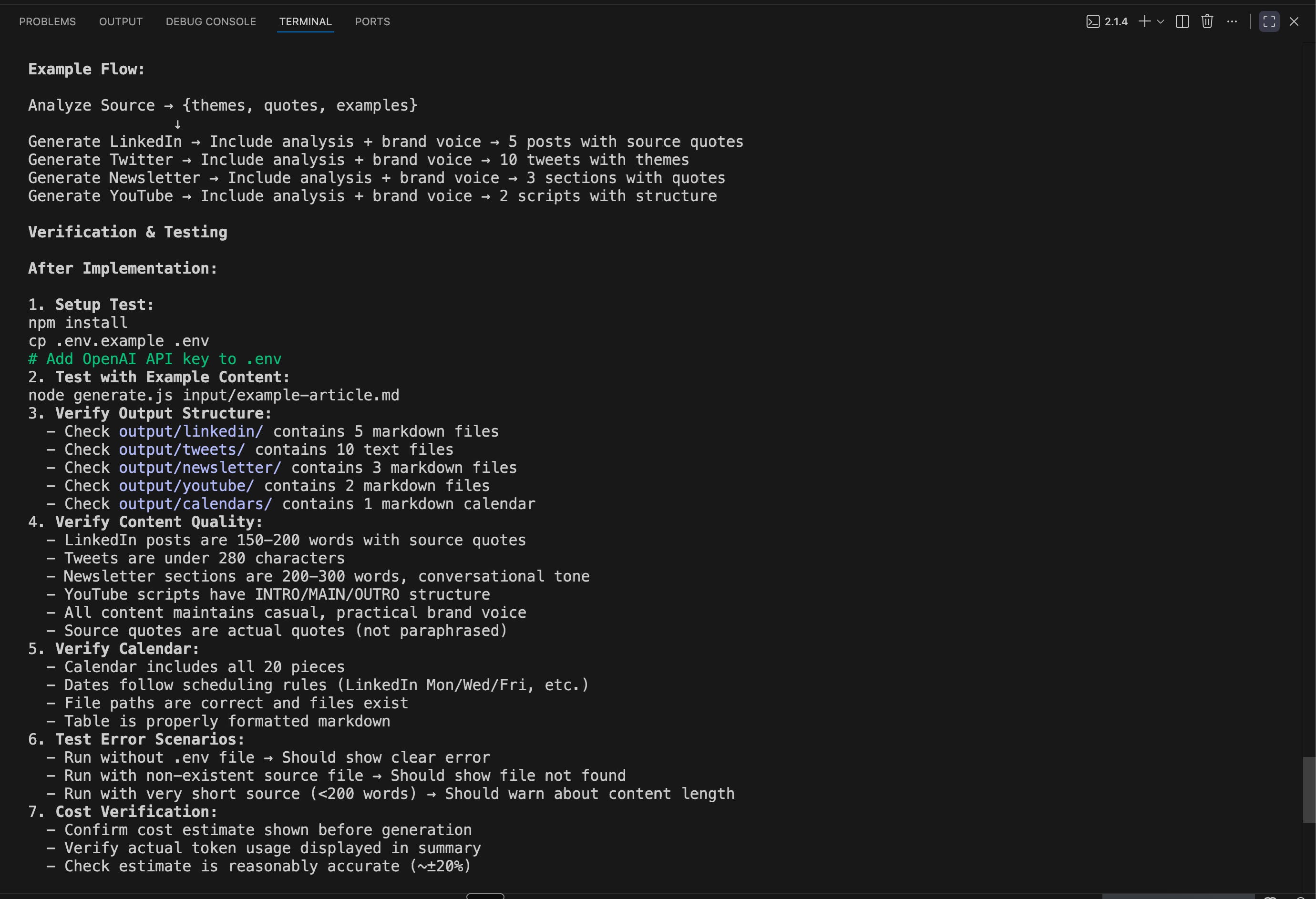
Next Claude Code will present the entire implmentation plan about how it is going to structure and implement the overall solution for you.
You can review the plan, suggest edits where needed, iterate on it until you the implementation details are as per your needs.
Approve the final plan. Here are some screenshots from mine:
3.3 Claude Code Implements Approved Plan
Once you approve the plan, you’ll see it create files, write scripts, and set up your folder structure. This takes 15-20 minutes but you can do any other work and come back when it is finished.
Personal usage tip: I use Claude Code in Visual Studio Code Integrated Terminal because that gives me folder access right into one workspace. I can view and edit any files manually in the code editor window and ask Claude Code to refer the updated file.
You should see Claude Code create files and implement entire plan. Claude Code writes all this code. You’re just describing what you need.
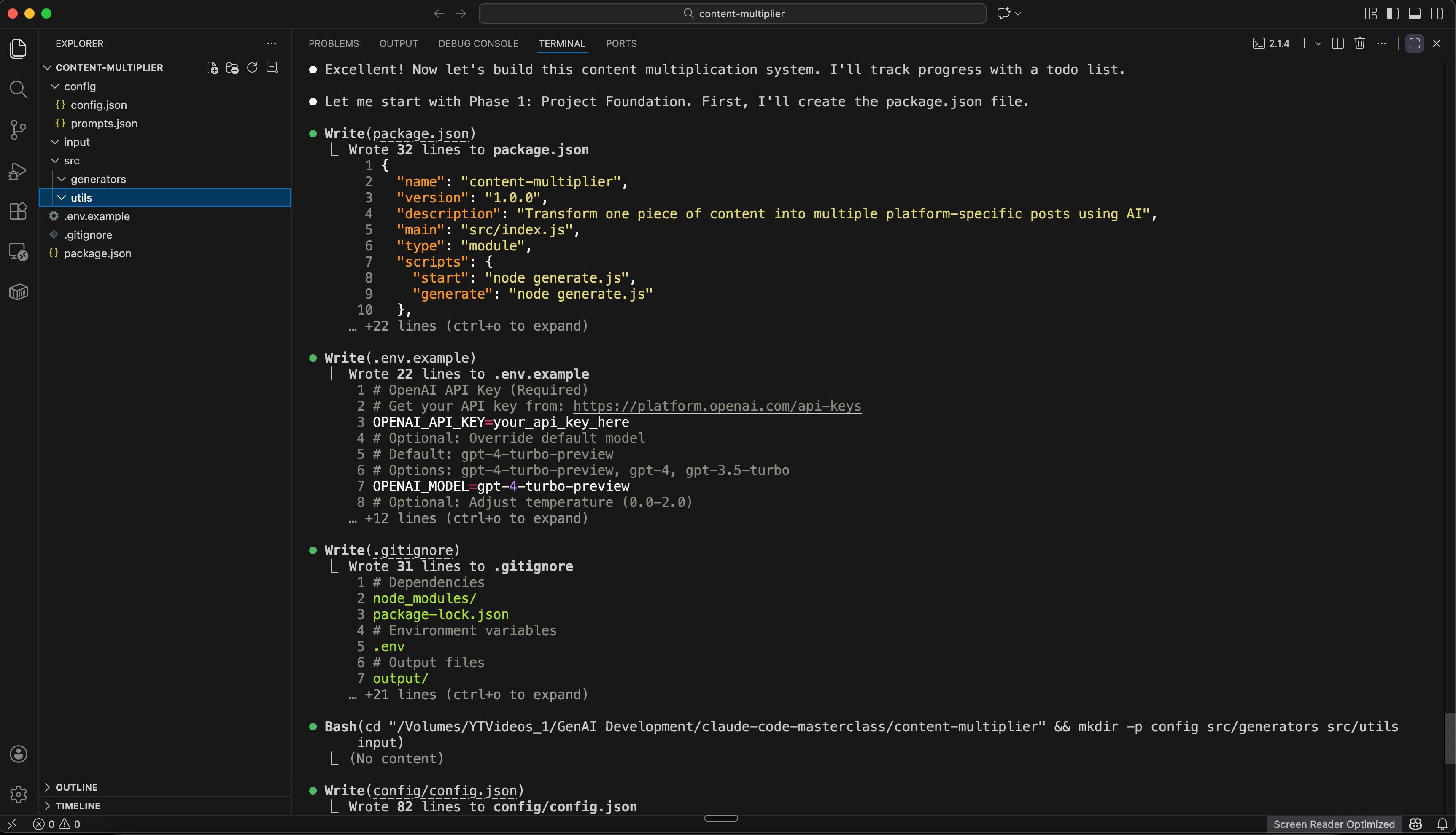
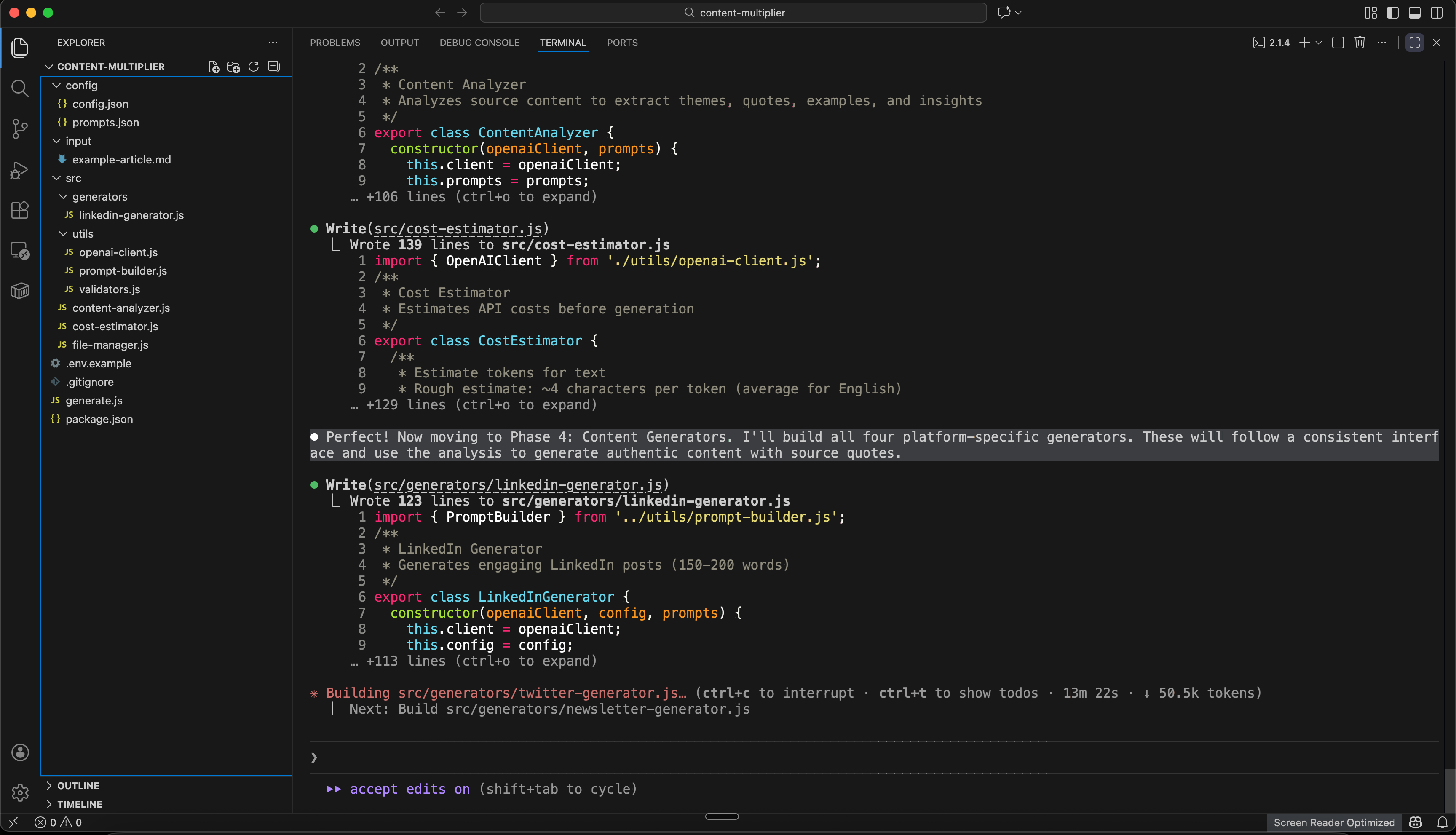
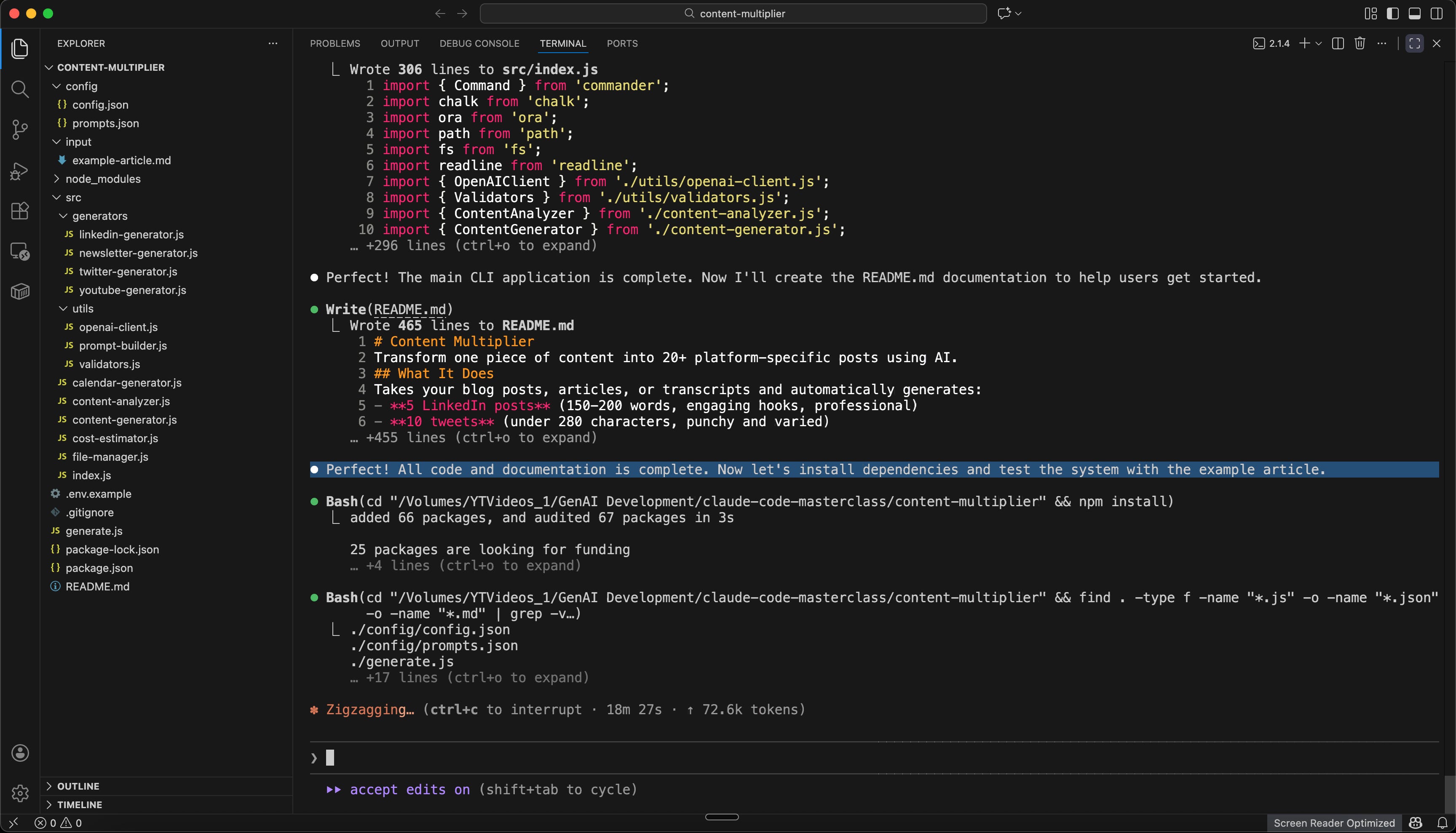
Finally after 18 minutes or so, SUCCESS.
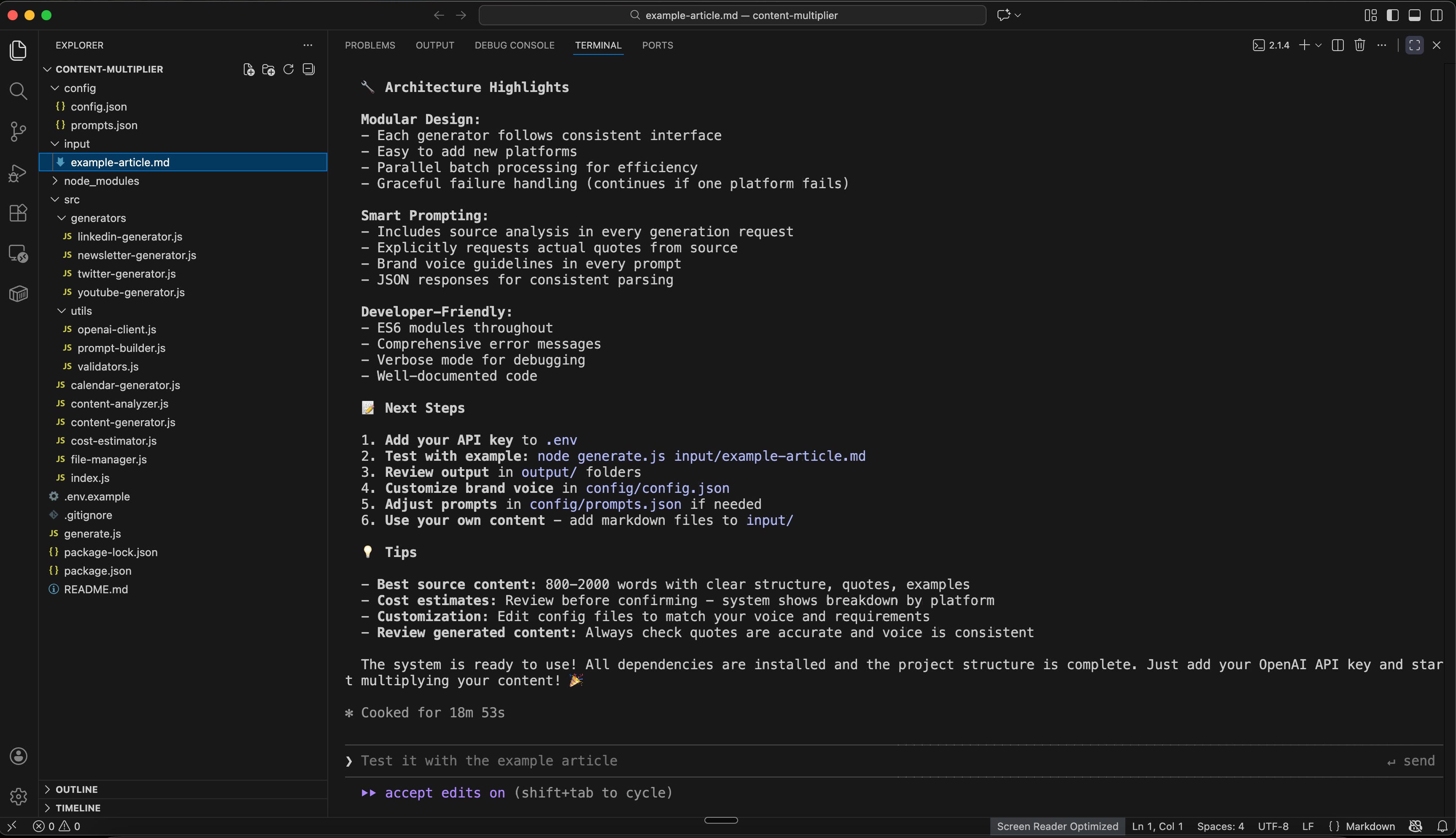
Step 4: Understand What Claude Code Built
Let’s look at what you now have (without you writing any code):
The generate.js script reads your source article, extracts key points, then calls Claude’s API multiple times with different prompts to generate each content type. It saves everything to organized folders and creates a calendar.
The config/prompts.json contains templates like:
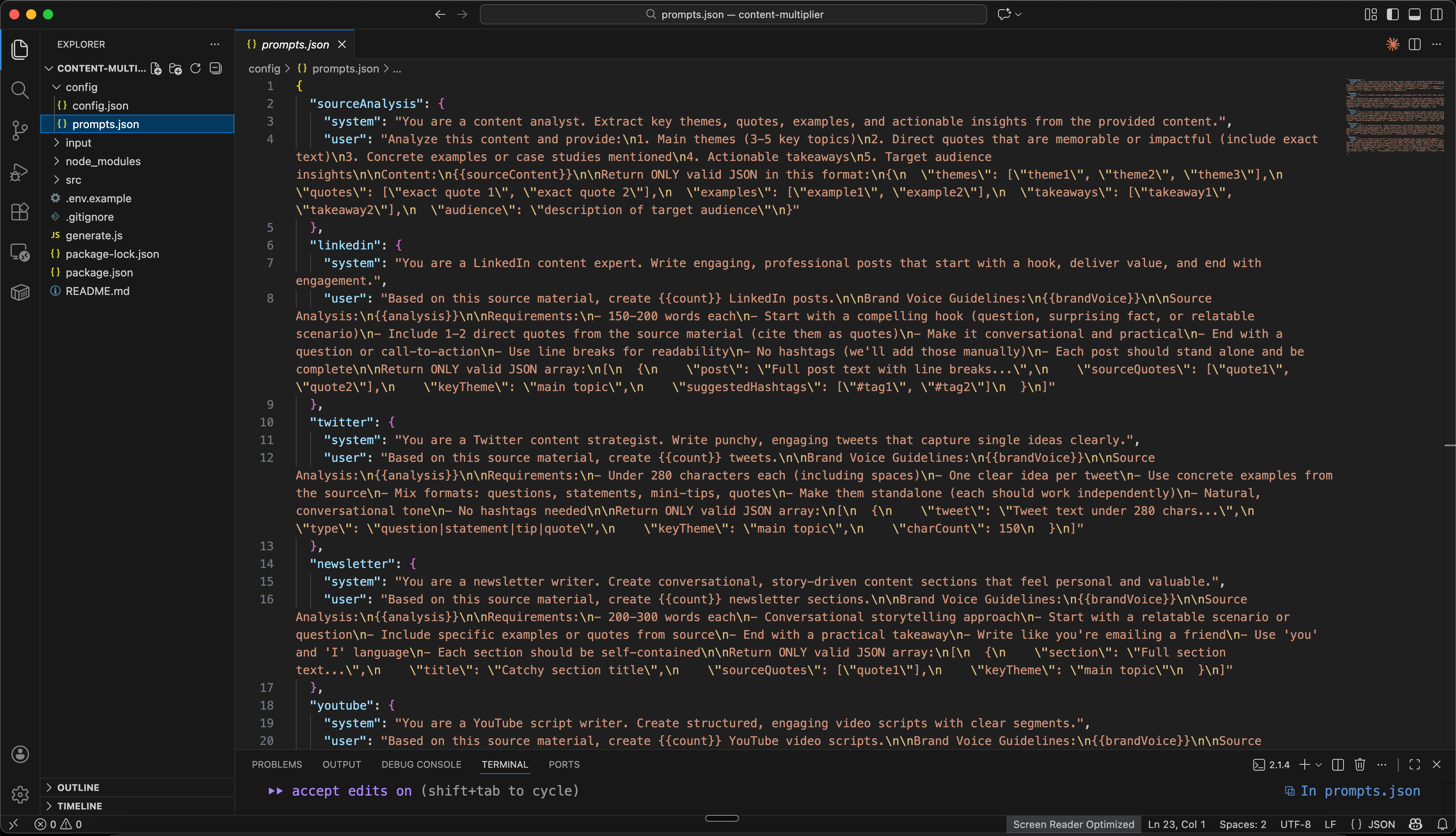
Claude Code generated these prompts based on your description. They’re customized to your needs, not generic templates. You still have the option to edit them as per your needs or brainstorm further if you don’t like it.
The folder structure keeps everything organized:
content-multiplier/
│
├── 📁 config/                    ⚙️ YOUR SETTINGS (you'll edit these)
│   ├── config.json              Brand voice, content rules, schedule
│   └── prompts.json             How AI generates each content type
│
├── 📁 input/                     📝 YOUR SOURCE CONTENT (you'll add files here)
│   ├── example-article.md       Sample article to test with
│   └── your-article.md          Add your blog posts here
│
├── 📁 output/                    📦 GENERATED CONTENT (system creates this)
│   ├── linkedin/                5 LinkedIn posts
│   ├── tweets/                  10 tweets
│   ├── newsletter/              3 newsletter sections
│   ├── youtube/                 2 video scripts
│   └── calendars/               Publishing schedule
│
├── 📁 src/                       🔧 THE ENGINE (you won't touch this)
│   └── [system code files]      Code that makes everything work
│
├── 📄 .env                       🔑 YOUR API KEY (you'll create this)
│   └── Contains: OPENAI_API_KEY=sk-your-key-here
│
└── 📄 README.md                  📖 HOW TO USE (read this first)
    └── Instructions, examples, troubleshooting
Step 5: Add Your Brand Voice Examples
This is what makes your generated content sound like you, not generic AI.
Create a file called brand-voice.md in your content-multiplier/config/ folder and update your brand voice along with all the example posts from LinkedIn, Newsletters, Tweets, etc..
If you don’t have “Brand Voice Document” created then use previous lessons from this Claude Projects Masterclass to create your brand voice and copy that document into the brand-voice.md file.
An example file may end up looking like below. You may use multiple files as well instead of a single file because we are anyways going to ask Claude Code to understand them, extract relevant infomartion and put that into “config.json” file.
# My Brand Voice

## VOICE PROFILE
You are writing as [Your Name], a [your role/niche] who helps [your audience] with [your focus area].

## CORE VOICE CHARACTERISTICS
- Tone: [Casual/Professional/Authoritative - choose one and describe]
- Sentence style: [Short and punchy/Flowing and descriptive/Mix of both]
- Perspective: [First person “I”, second person “you”, mix]
- Formality: [Very casual with contractions/Professional but approachable/Formal]

## STRUCTURAL PREFERENCES
- Always open with: [Hook style - question, story, bold statement]
- Paragraph length: [Maximum X lines, optimize for mobile]
- Use of lists: [Frequent/Occasional/Rare]
- Transitions: [Explicit like “Here’s why”/Implicit flow]

## VOCABULARY RULES
- Use contractions (don’t, you’ll, here’s)
- Prefer [active/passive] voice
- Common phrases: [List 3-5 signature phrases you use often]

## NEVER USE THESE WORDS/PHRASES
- [List corporate jargon you avoid: use, collaboration, etc.]
- [List overpromising language: innovative, new approach, etc.]
- [List condescending phrases: obviously, clearly, simply]

## CONTENT APPROACH
- Lead with [specific outcomes/stories/questions]
- Use examples from [your industry/audience’s world]
- Always include [specific numbers/timeframes/concrete details]

# My Brand Voice Samples

## LinkedIn Posts I've Written:

[Paste 3-5 of your actual LinkedIn posts here]

## Newsletter Sections I've Written:

[Paste 2-3 newsletter paragraphs here]

## Tweets I've Written:

[Paste 10-15 of your tweets here]

....
....
Tell Claude Code to update the system to use these examples:
Update the content generation configuration and prompts to analyze my "/config/brand-voice.md" file and match that style in all generated content. Make sure each content type reflects my actual writing patterns.Claude Code will modify the prompts to reference your examples. Your generated content will now sound like you.
Step 6: Generate Your First Content Batch
Put a source article in the input/ folder. Name it something like article-001.md.
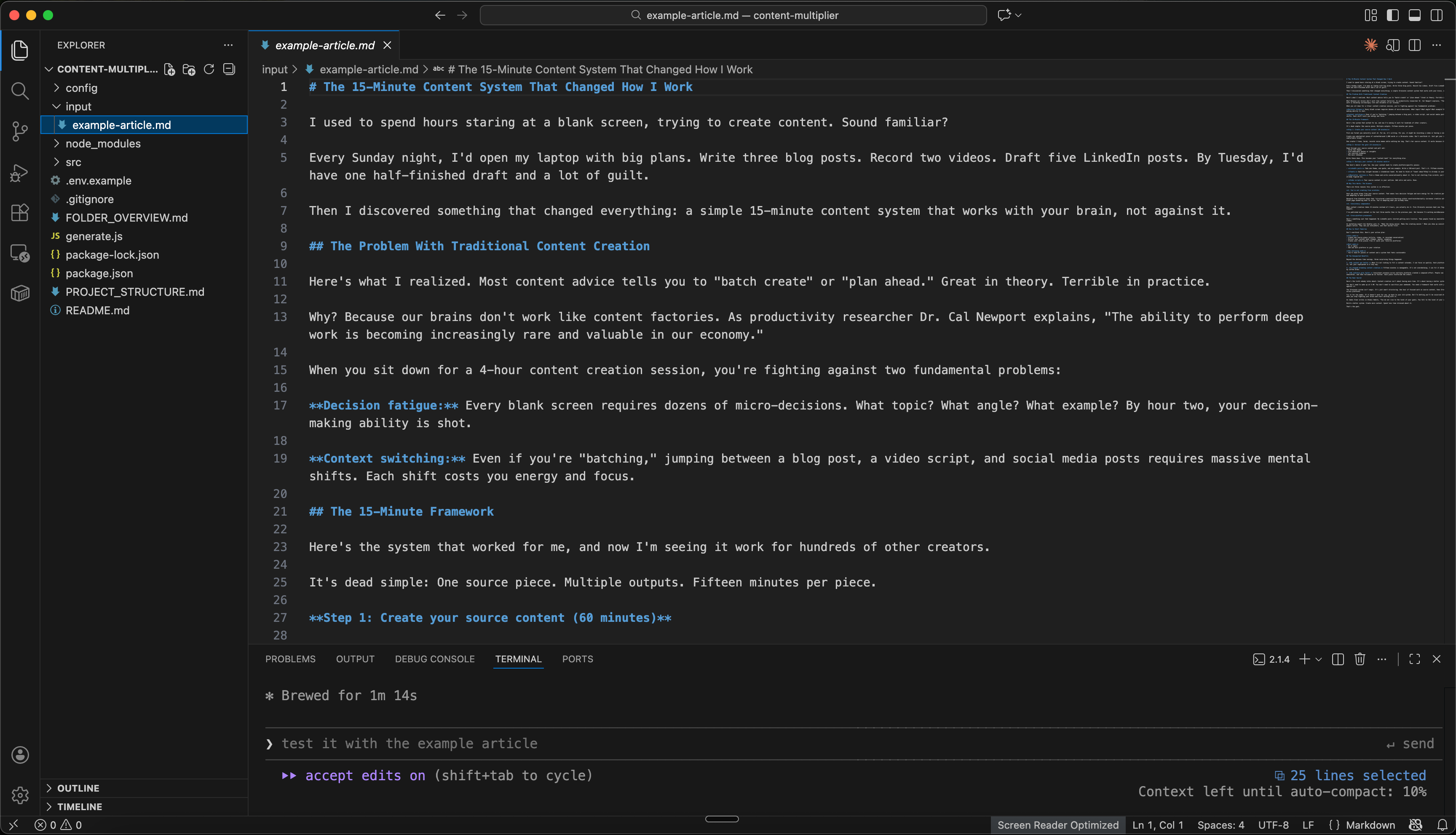
Ask Claude Code to run the system in plain English (conversational), like:
Let's test and run the system with input/article-001.mdWhat happens now?
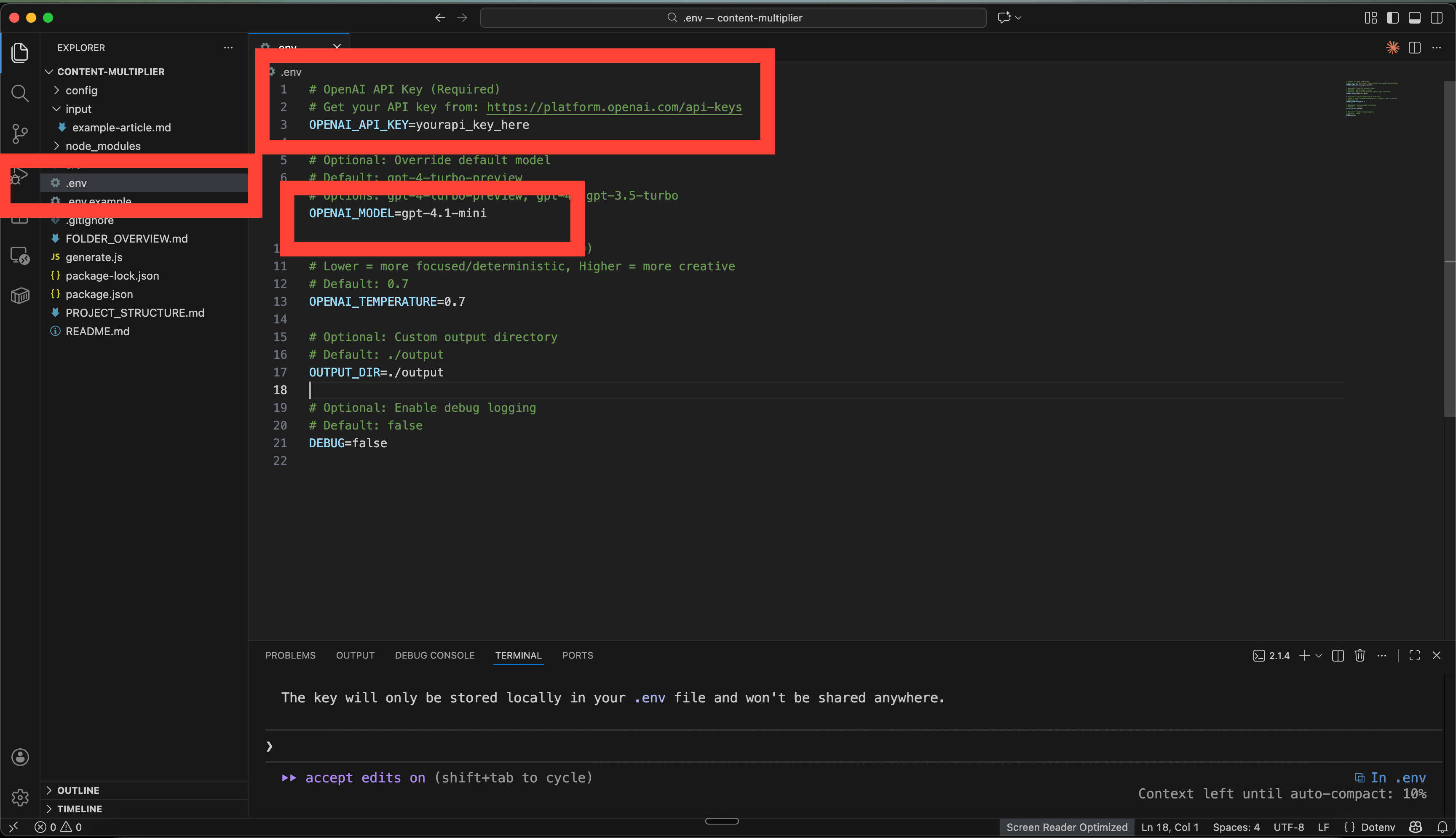
6.1 Set up OpenAI or Claude API keys
Claude Code reads your article
It verifies and find the API key for OpenAI or API key for Claude.ai, whatever platform you selected in Step 3.1 when creating the plan for the system.
It prompt you with a question if you have one already.
Since I have one already, I will select Option 1.
If you don’t have the key, you can select Option 4 and seek step by step guidance from Claude Code right there to create one for you. It will work much like any other AI Chat Assistant like Claude Desktop of ChatGPT.
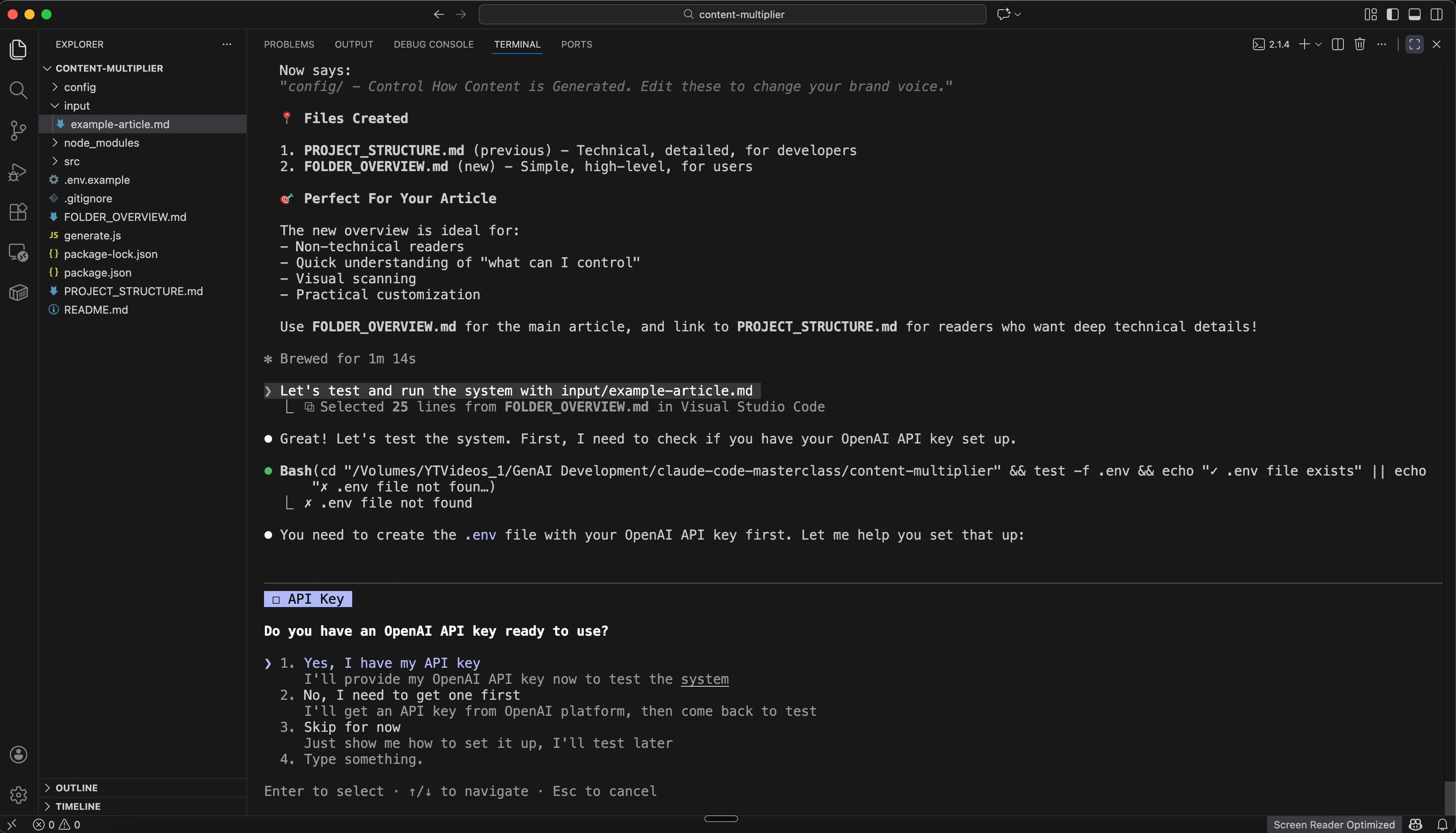
Paste your API key into the .env file, which will be stored locally as an environment file for your system.
6.2 Generate first batch of content
Now your environment is fully set up. Just ask Claude Code to continue as if having chat with a person.
I have added the key to .env file, let's continue now to run the system for input/article-001.md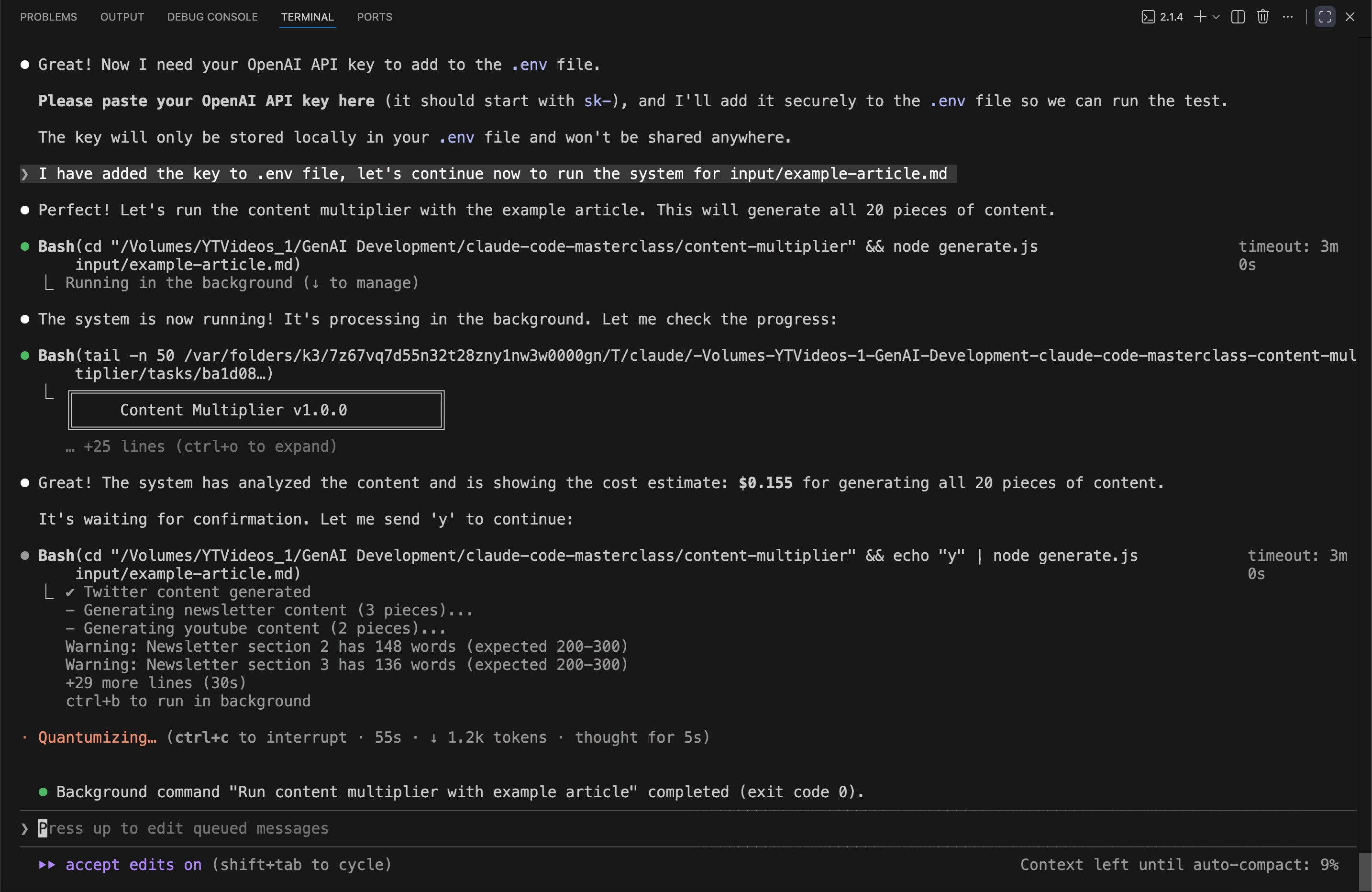
This takes about 2-3 minutes to complete. You’ll see progress messages as each piece generates.
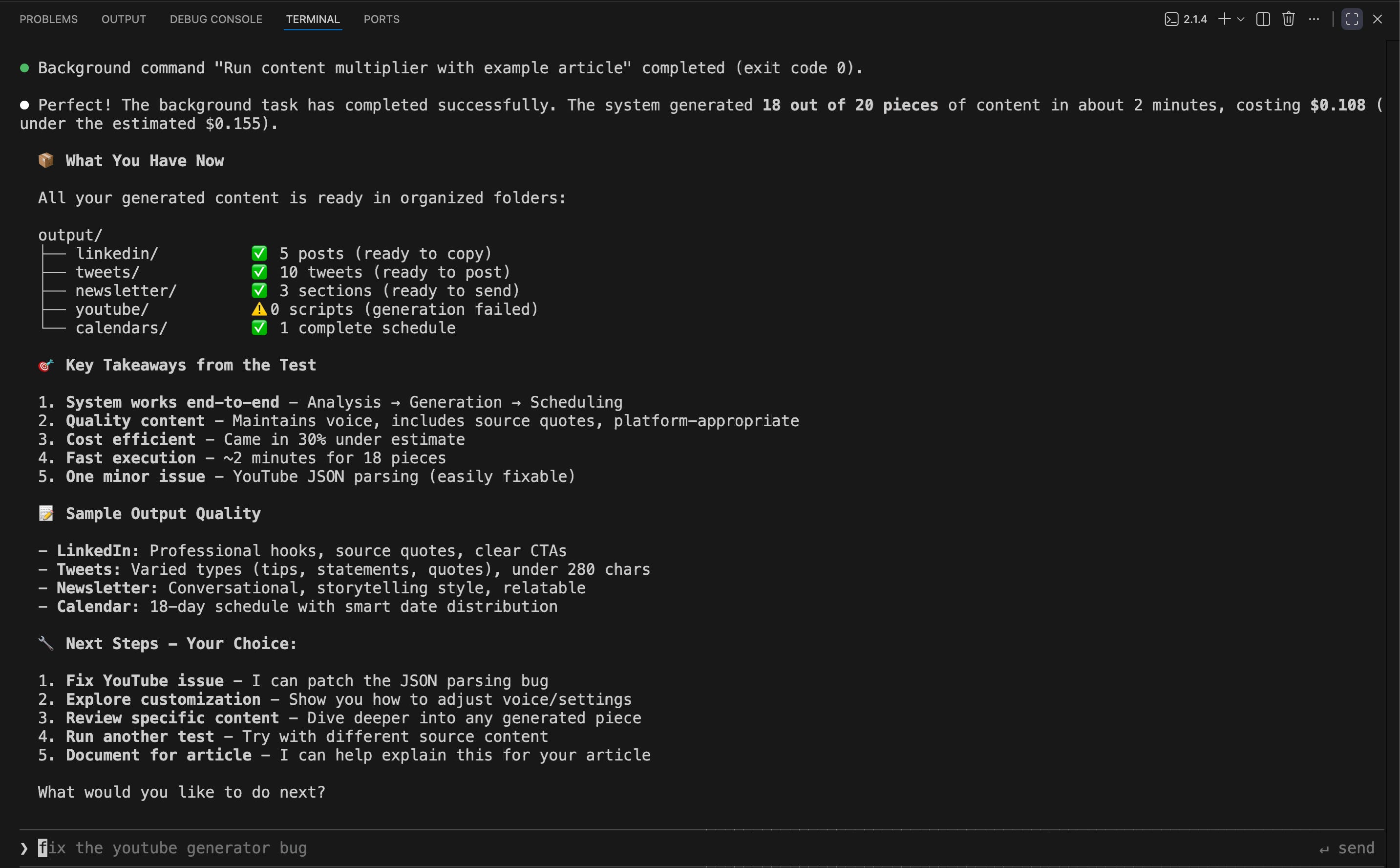
🥳 Hurray!! It’s DONE…
And here is the final output.
If there is any error in between, just ask it to fix the error in plain English like:
fix the youtube generator bug 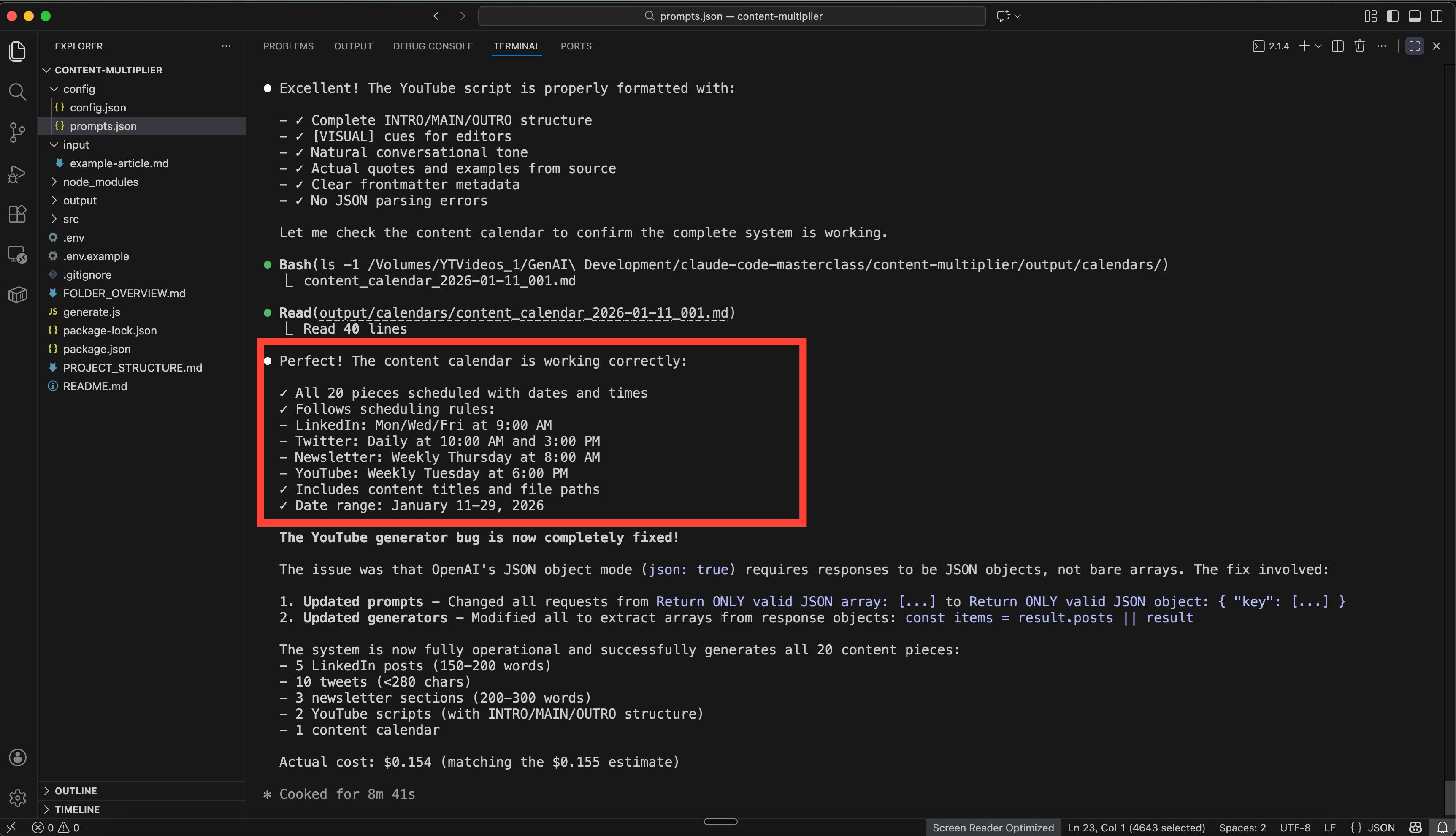
The Prompts: Ready to Use
Here are the core prompts Claude Code may be using in your case as well but they may differ too.
You can any ways customize them by refering to my structured output prompts guide.
LINKEDIN POST GENERATOR

You are a LinkedIn content expert. Write engaging, professional posts that start with a hook, deliver value, and end with engagement.

Based on this source material, create {{count}} LinkedIn posts.

Brand Voice Guidelines:
{{brandVoice}}

Source Analysis:
{{analysis}}

Requirements:
- 150-200 words each
- Start with a compelling hook (question, surprising fact, or relatable scenario)
- Include 1-2 direct quotes from the source material (cite them as quotes)
- Make it conversational and practical
- End with a question or call-to-action
- Use line breaks for readability
- No hashtags (we'll add those manually)
- Each post should stand alone and be complete

Return ONLY valid JSON object:
{
  "posts": [
    {
      "post": "Full post text with line breaks...",
      "sourceQuotes": ["quote1", "quote2"],
      "keyTheme": "main topic",
      "suggestedHashtags": ["#tag1", "#tag2"]
    }
  ]
}
TWITTER THREAD GENERATOR
You are a Twitter content strategist. Write punchy, engaging tweets that capture single ideas clearly.
Based on this source material, create {{count}} tweets.
Brand Voice Guidelines:
{{brandVoice}}
Source Analysis:
{{analysis}}
Requirements:
- Under 280 characters each (including spaces)
- One clear idea per tweet
- Use concrete examples from the source
- Mix formats: questions, statements, mini-tips, quotes
- Make them standalone (each should work independently)
- Natural, conversational tone
- No hashtags needed
Return ONLY valid JSON object:
{
"tweets": [
{
"tweet": "Tweet text under 280 chars...",
"type": "question|statement|tip|quote",
"keyTheme": "main topic",
"charCount": 150
}
]
}NEWSLETTER SECTION GENERATOR
You are a newsletter writer. Create conversational, story-driven content sections that feel personal and valuable.
Based on this source material, create {{count}} newsletter sections.
Brand Voice Guidelines:
{{brandVoice}}
Source Analysis:
{{analysis}}
Requirements:
- 200-300 words each
- Conversational storytelling approach
- Start with a relatable scenario or question
- Include specific examples or quotes from source
- End with a practical takeaway
- Write like you're emailing a friend
- Use 'you' and 'I' language
- Each section should be self-contained
Return ONLY valid JSON object:
{
"sections": [
{
"section": "Full section text...",
"title": "Catchy section title",
"sourceQuotes": ["quote1"],
"keyTheme": "main topic"
}
]
}VIDEO SCRIPT GENERATOR
You are a YouTube script writer. Create structured, engaging video scripts with clear segments.
Based on this source material, create {{count}} YouTube video scripts.
Brand Voice Guidelines:
{{brandVoice}}
Source Analysis:
{{analysis}}
Requirements:
- Full script with INTRO, MAIN CONTENT, OUTRO
- INTRO (30-60 sec): Hook + preview of value
- MAIN (5-8 min): Key points with examples from source
- OUTRO (30 sec): Recap + clear CTA
- Include [VISUAL] cues for editors
- Natural, conversational speaking style
- Reference specific quotes/examples from source
- Write as spoken words, not written text
Return ONLY valid JSON object:
{
"scripts": [
{
"title": "Engaging video title",
"description": "Brief 2-3 sentence description",
"script": {
"intro": "Full intro script with [VISUAL] cues...",
"main": "Full main content script with [VISUAL] cues...",
"outro": "Full outro script with [VISUAL] cues..."
},
"estimatedDuration": "6-8 minutes",
"keyThemes": ["theme1", "theme2"]
}
]
}Expected Output & Examples
After running your first batch, here’s what you’ll find:
output/
├── calendars/
│   └── content_calendar_2026-01-11_001.md
│
├── linkedin/
│   ├── linkedin_2026-01-11_001.md
│   ├── linkedin_2026-01-11_002.md
│   ├── linkedin_2026-01-11_003.md
│   ├── linkedin_2026-01-11_004.md
│   └── linkedin_2026-01-11_005.md
│
├── newsletter/
│   ├── newsletter_2026-01-11_001.md
│   ├── newsletter_2026-01-11_002.md
│   └── newsletter_2026-01-11_003.md
│
├── tweets/
│   ├── tweet_2026-01-11_001.txt
│   ├── tweet_2026-01-11_002.txt
│   ├── tweet_2026-01-11_003.txt
│   ├── tweet_2026-01-11_004.txt
│   ├── tweet_2026-01-11_005.txt
│   ├── tweet_2026-01-11_006.txt
│   ├── tweet_2026-01-11_007.txt
│   ├── tweet_2026-01-11_008.txt
│   ├── tweet_2026-01-11_009.txt
│   └── tweet_2026-01-11_010.txt
│
└── youtube/
    ├── youtube_script_2026-01-11_001.md
    └── youtube_script_2026-01-11_002.md
In output/calendars/content_calendar_2026-01-11_001.md: A file showing your publishing schedule:
# Content Calendar

Generated from: example-article.md
Date Range: January 11, 2026 - January 29, 2026
Total Pieces: 20

## Publishing Schedule

| Date | Time | Platform | Content Title | File Path | Status |
|------|------|----------|---------------|-----------|--------|
| 2026-01-11 | 10:00 AM | Twitter | Ever tried batching content only to get stuck i... | tweets/tweet_2026-01-11_001.txt | Scheduled |
| 2026-01-11 | 3:00 PM | Twitter | "You do not rise to the level of your goals. Yo... | tweets/tweet_2026-01-11_002.txt | Scheduled |
| 2026-01-12 | 9:00 AM | LinkedIn | Ever feel like content creation is a marathon y... | linkedin/linkedin_2026-01-11_001.md | Scheduled |
| 2026-01-12 | 10:00 AM | Twitter | Struggling with decision fatigue when creating ... | tweets/tweet_2026-01-11_003.txt | Scheduled |
| 2026-01-12 | 3:00 PM | Twitter | Deep work is rare but powerful. Protect your fo... |
You can import this directly into your project management tool.
Troubleshooting Common Issues
If generated content feels generic:
Add more brand voice examples to brand-voice.md. The system needs 5-10 examples minimum to capture your style. Update the prompts to explicitly reference specific voice characteristics.
If content doesn’t match your source article:
Your source article might be too short or too broad. Aim for 800+ word source articles with specific examples and clear points. Claude Code needs good reference material. Otherwise, direct it to update the system to enhance source material in case needed.
Why This Content Multiplication System Saves Time and Boosts Consistency?
You just built a content multiplication engine that runs on demand.
Time saved: If you were spending 6 hours a week on content adaptation, you’re now spending 30 minutes. That’s 5.5 hours back = 22 hours a month. At $100/hour (conservative for skilled consultants), that’s $2,200 in reclaimed time monthly.
Consistency: You’re publishing more without quality dropping. The system maintains your voice because it learned from your examples. Your audience sees you everywhere without sensing you’re stretched thin.
Creative energy preserved: You’re not making the same creative decisions 10 times. You think deeply once (the source article), then let the system handle formatting. Your brain stays fresh for the work that actually requires your expertise.
Scalability: Want to publish daily instead of weekly? Run the system more often. Want to add TikTok scripts or podcast outlines? Tell Claude Code to add those formats. It updates the system for you.
This is the shift from manual content creation to systematic content multiplication. You’re not working harder. You’re working with leverage.
Frequently Asked Questions
How do I customize the content formats Claude Code generates?
Open the prompts/ folder and edit any template file. Change the word count, tone instructions, or structure requirements. Save the file and ask Claude code to use updated prompts for your next batch. You don’t need to modify the JavaScript code.
What’s the difference between Claude Code and Claude Projects for content?
Claude Projects works through active chat session. You manually draft each piece with AI feedback. Claude Code builds automated systems. You describe your workflow once, get working scripts, then run them anytime.
Use Claude Projects for interactive writing sessions. Use Claude Code for batch content generation or any other automation in general.
How many brand voice examples do I need?
Start with 5-10 examples per content type (5 LinkedIn posts, 10 tweets, 3 newsletter sections). More examples improve accuracy, but quality matters more than quantity. Choose examples that represent your actual style, not aspirational writing.
Why does my generated content still sound too formal?
Your brand voice examples likely contain formal language. Replace them with your most casual, conversational pieces. Update the prompt templates to explicitly say “use contractions, short sentences, active voice.” Run a test batch and iterate until the tone matches.
Key Takeaways
Content multiplication beats content creation. Reformat your best thinking instead of creating from scratch every time
Claude Code builds the entire system for you. You just describe your workflow in plain English and you get working scripts
One source article becomes 10+ platform-specific pieces in under 10 minutes after initial setup
Brand voice examples are critical. The system learns your style from your actual writing, not generic instructions
Run the system on demand whenever you need fresh content. No scheduling, hosting, or maintenance required
Time saved scales with volume. The more content you need, the more valuable systematic multiplication becomes
You can customize any format by editing the prompt templates or you can brainstorm with Claude code to get them updated. No coding required
Your 15-Minute Challenge
Build your first content batch right now:
Choose one existing blog post or article (800+ words)
Save it as a Markdown file in your
input/folderAdd 3-5 brand voice examples to
brand-voice.mdAsk Claude Code to run the system for
: input/<your-article>.mdReview the generated content in
output/folders
Success criteria: You have at least 10 pieces of content ready to publish, all sounding like you wrote them. If the voice feels off, add more brand examples and run again.
What’s Next
You’ve built a content multiplication engine.
Next article: “The AI Research Assistant That Writes Your Content for You”. How to use Claude Projects to turn scattered research into structured source articles that feed your multiplication system. You’ll learn to research once and write everywhere.
Very nicely done and beginner-friendly! ⭐️