

I Used Claude Code to Block Every Ad on My Home Network with a $16 Raspberry Pi
I used Claude Code to install AdGuard Home on a $16 Raspberry Pi Zero. Blocks ads on every device, network-wide, automatically. Build log with config tips.

Total cost: $21.97. Setup time: 45 minutes. Ads blocked: every device in my house, automatically, from today, forever.
It started with a meme.
Someone posted a graphic comparing NextDNS Business Premium ($20/mo) with an arrow pointing to AdGuard Home labeled "self-hosted, free." A few friends of mine pay for services like NextDNS or Adblock Plus, myself included. I knew what AdGuard Home was in theory. But I had never actually set it up.
So I did what I do now for most things I want to tinker with: I opened Claude Code and started asking questions.
What followed over the next few days was one of the more interesting build-in-public experiences I have had. The technology was not the interesting part. How it unfolded was.
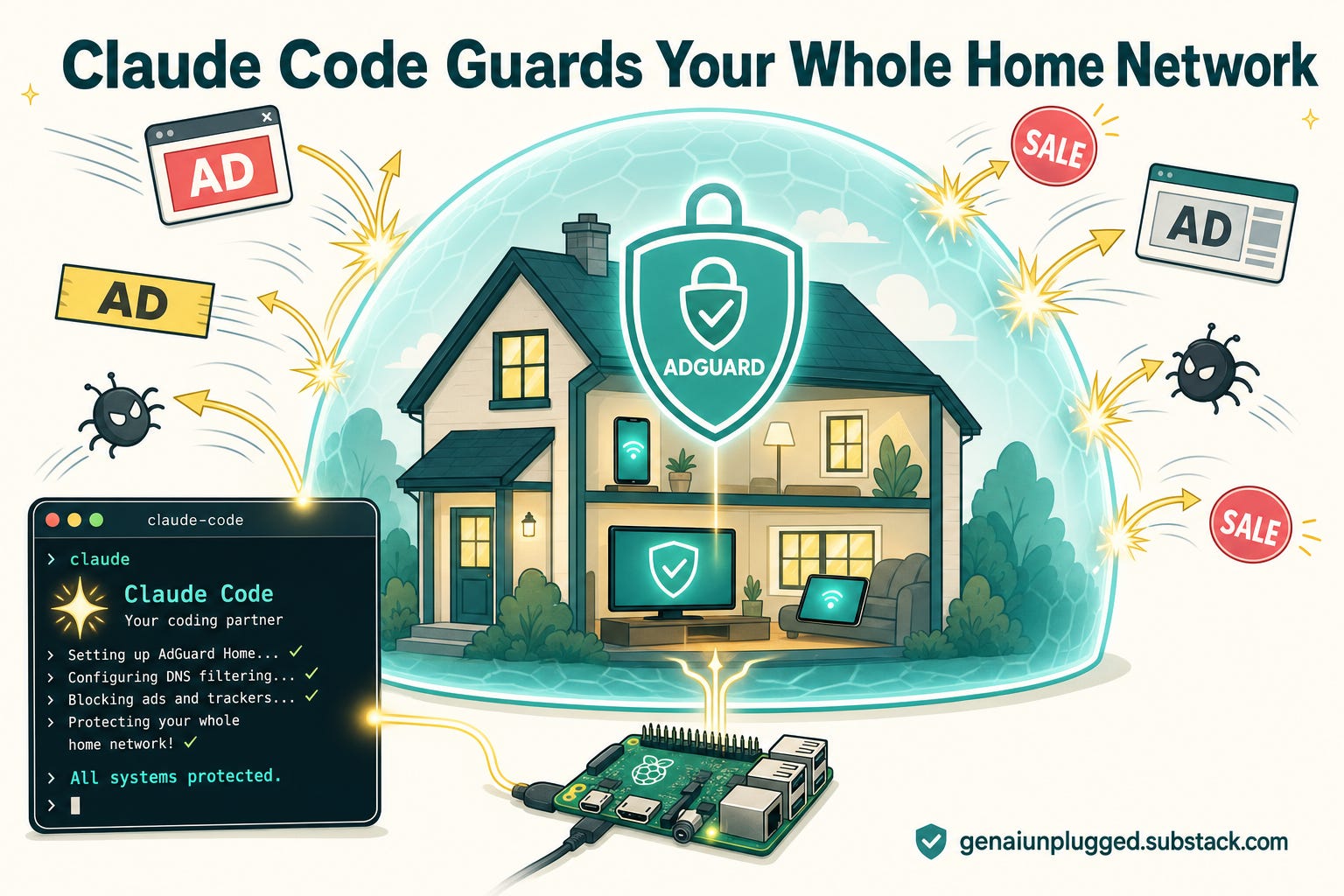
Claude Code did not stop at answering my questions. It did the whole thing:
picked the hardware online,
installed the necessary tools on my Mac,
walked me through every screen of the setup,
ran the install command on the Raspberry Pi,
read my config file,
identified six optimizations, and applied them directly via SSH.
I narrated and Claude drove.
Here is the full story, including the part where it broke a week later and I had to figure out why.
👋 Julley, I’m Dheeraj, an AI systems builder.
I build production-grade AI systems at work by day and ship my own products by night, 9 and counting, including SubflowAI and the Content OS Agents Toolkit. This newsletter is the bridge between those two worlds. Every system, every build, documented step by step.
Join 1,800+ builders getting the exact AI setups, prompts, and workflows that actually work in your business.
Why I Actually Did This
I had been paying for Adblock Plus for over a year and some of my friends in business pay for NextDNS. They are good products. Adblock Plus is about $4 per month per device and NextDNS is about $20 a month for a business plan.
Paying for what is, fundamentally, a filtered DNS resolver started to feel silly once I realized I could run the same thing on a $16 computer that fits in my palm.
There was a second reason, and it is the honest one.
I wanted to see how far Claude Code could take a non-coding home project end to end. Not a coding tutorial.
An actual piece of infrastructure that my whole family depends on for internet to work.
I will also tell you up front about the part that went wrong, because it is the most useful thing in this article. A week after I set everything up, the AdGuard dashboard suddenly "would not load." I thought the Pi had died. It had not.
The setup wizard runs on port :3000, and once you finish the wizard, that port closes permanently and the real dashboard moves to port 80. I was hitting a dead URL from my browser history. Five seconds of confusion that felt like a dead box.
I will save you that afternoon later in this article. And Claude will help you with every step, you don’t need to know anything about ports or hardware at all.
That shift in accessibility is the real story. A $16 box and a 45-minute conversation with Claude Code replaced a full Saturday of documentation-reading and debugging.
What AdGuard Home Does
Before I get into the setup, let me clear up what this thing is and is not.
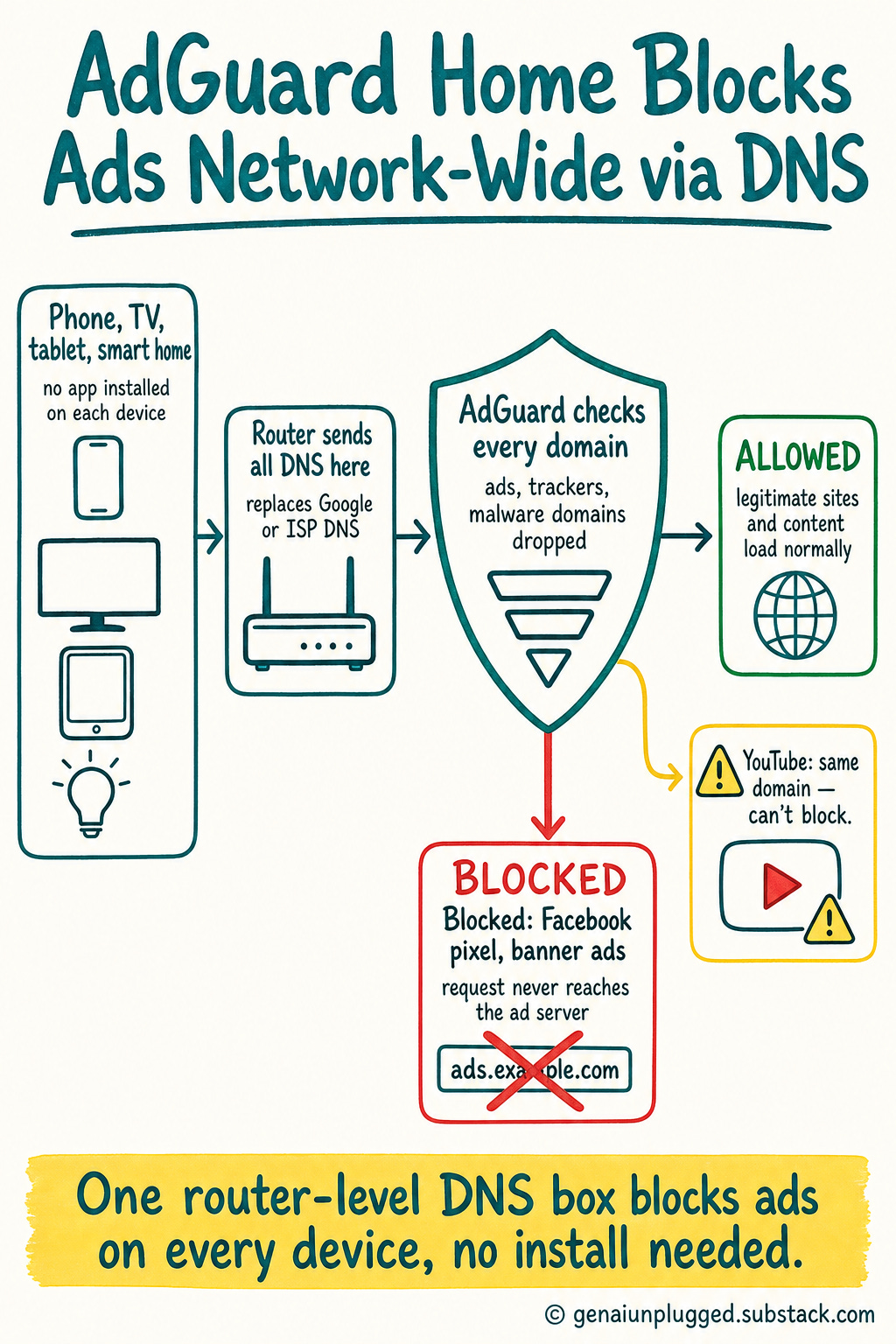
AdGuard Home is a DNS-level ad and tracker blocker that runs on your local network. Your router points all DNS queries to AdGuard instead of Google or your ISP. AdGuard checks every domain request against blocklists and drops the ones it recognizes as ads, trackers, or malware.
No request ever reaches the ad server.
The big difference from a browser extension: it covers every device on your network automatically. Your phone, your TV, your smart home devices, your kids' tablets. No app to install on each device.
One box, everything protected.
What it blocks:
Banner and display ads on most websites
Tracking pixels (Facebook, Google Analytics, and hundreds more)
Ads in mobile apps that phone home to separate ad domains
Smart TV ads and tracking
Malware and phishing domains
What it does NOT block:
YouTube ads. This is the most common misconception. YouTube serves ads from the same domain as the actual video content. You can't block one without breaking the other.
For same domain origin ads, you add a FREE browser extension, and I cover exactly which one below. DNS blocking alone cannot help here.
It's also completely legal. You are filtering DNS traffic on your own private home network. No different from installing an ad blocker in your browser.
Why a Raspberry Pi Zero WH
I asked Claude to recommend hardware.
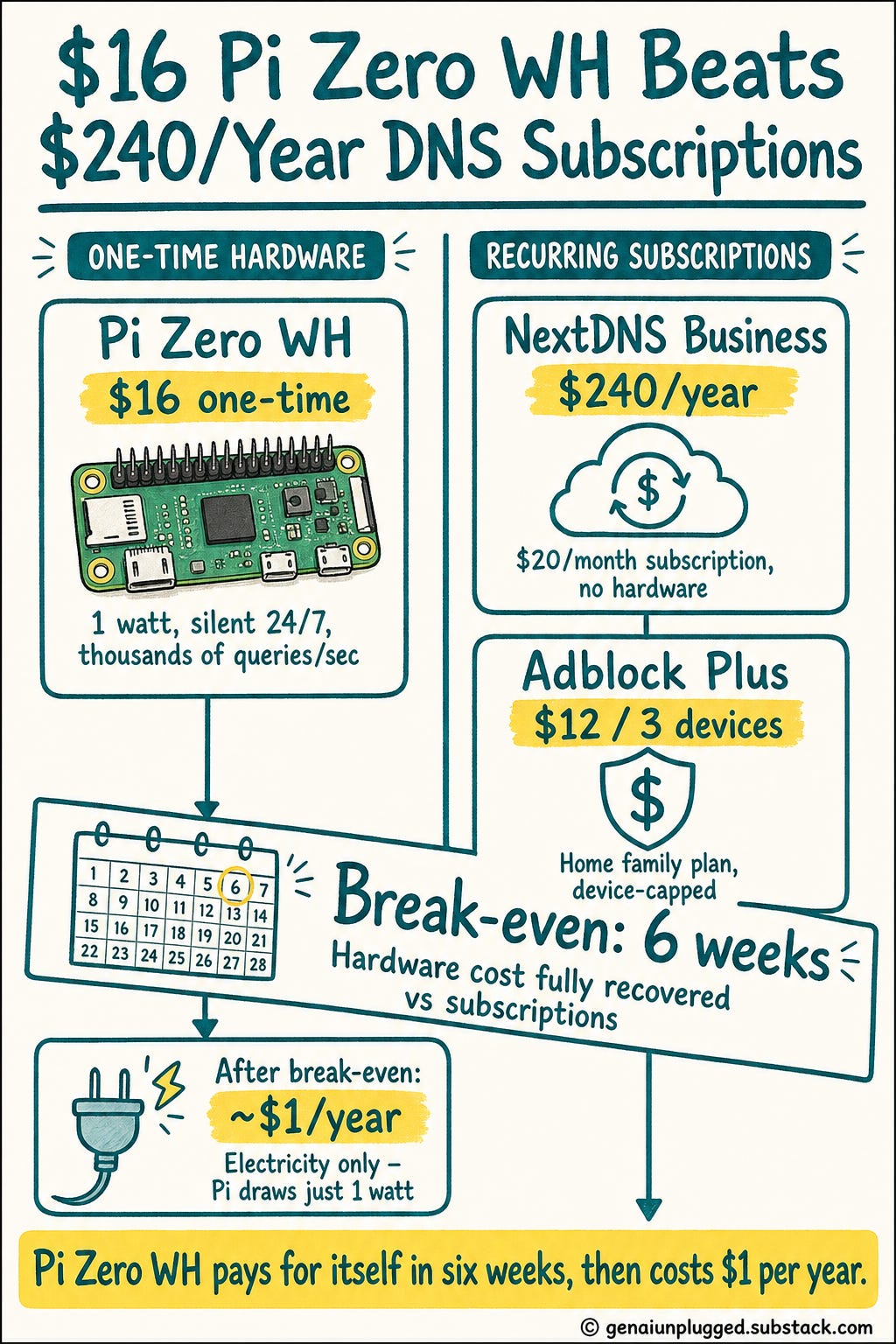
The response was direct: the Pi Zero WH at $16 is all you need for DNS filtering. DNS is not CPU or RAM intensive.
A Pi Zero handles thousands of queries per second easily, draws about 1 watt of power, and runs silently 24/7.
A Pi 4 or Pi 5 would be overkill. You would be paying $45 to $100 for hardware running at 2% capacity. Save the bigger Pi for if you ever want to add Plex or run agents locally.
Keep this one dedicated.
I ordered from Adafruit, the official US distributor. Total order:
Raspberry Pi Zero WH: $16.00
Adafruit Pi Zero Case (optional): $4.75
Tax: $1.22
Total: $21.97
I already had a 32GB microSD card, a micro USB cable, and a power adapter at home. If you need those, add about $15.
Compared to NextDNS business at $20/month ($240/year) or Adblock Plus at $12 for three devices in home for my family, this hardware pays for itself in six weeks. After that it costs roughly $1 per year in electricity.
What Claude Code Did That Surprised Me
This is where it stopped being a normal setup tutorial.
Once AdGuard was running, I asked Claude if it could read all the settings and optimize them.
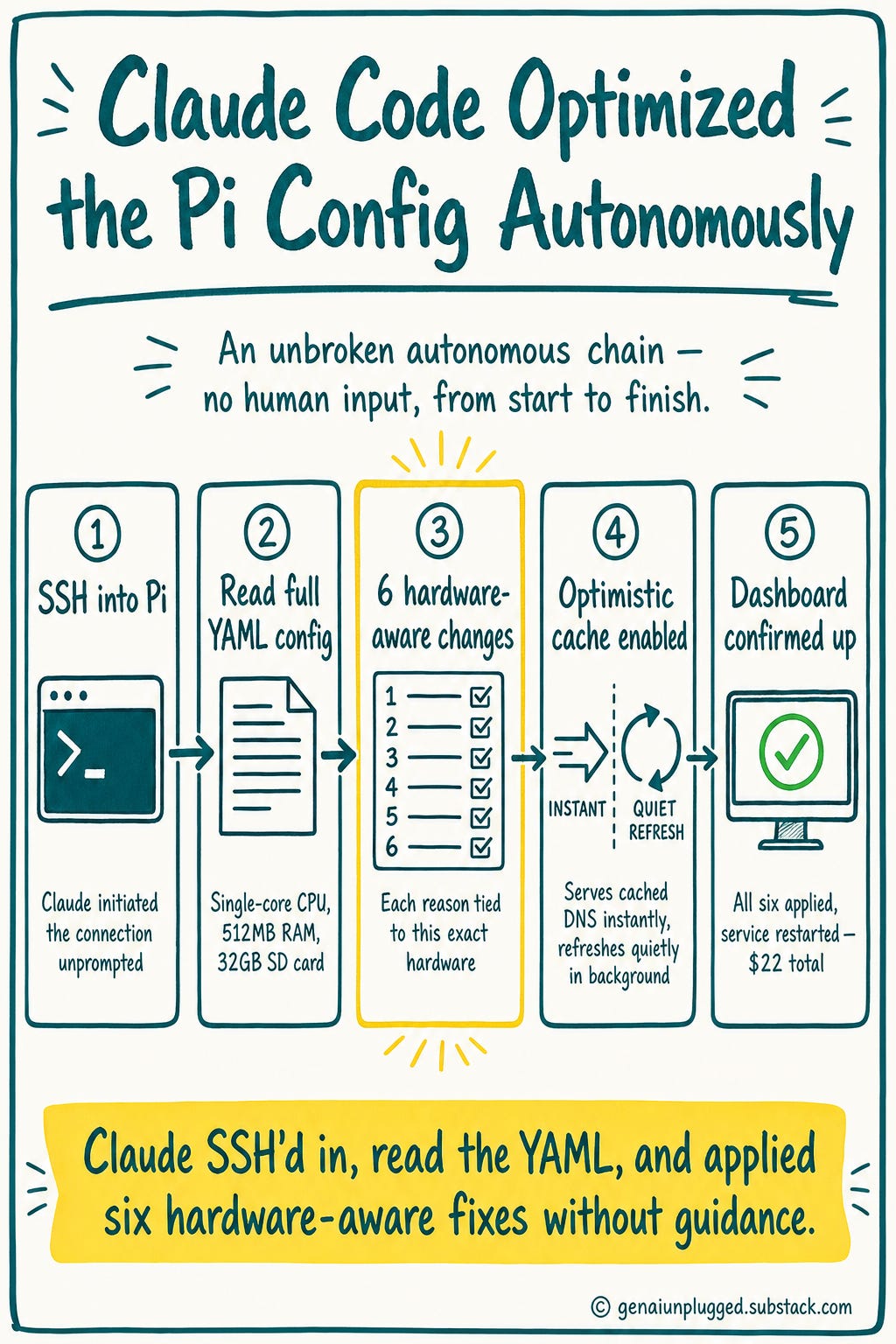
Claude Code connected and signed in (SSH’d) into my Raspberry Pi, read the full YAML config file, and came back with a specific list of six changes worth making, each with a reason tied to this exact hardware: a single-core CPU with 512MB of RAM and a 32GB SD card.
It noticed things I would never have looked for. The "optimistic cache" setting is the best example. It serves a cached DNS answer instantly while quietly refreshing it in the background, so your browser never waits on an expired record.
I would not have known that setting existed. Claude read the config, recognized it as a meaningful win for a low-power box on home WiFi, and flagged it.
Then it applied all six, restarted the service, and confirmed the dashboard came back up.
All I did was watch and cherish.
That's the kind of thing a senior engineer notices on a code review. I got it as part of a home project that cost $22.
What AI-Assisted Tinkering Looks Like in 2026
I want to be honest about what happened here and what it means.
I have a software engineering background but have not written code seriously in seven or eight years. I wouldn't have gotten stuck on this setup. It's not that hard.
But it would have taken me most of my full weekend between reading documentation, making mistakes, and troubleshooting.
With Claude Code, the whole thing was 45 minutes. More importantly, I understood every step. Claude didn't do things silently.
It explained what each command did, why it made each recommendation, and what would happen if I skipped something. When I asked "is this safe?" or "will I get in trouble?" it gave me honest, direct answers instead of hedging.
That shift in what is accessible to non-experts is the actual story here. Not the Raspberry Pi setup. Not AdGuard Home.
The fact that the barrier to running your own infrastructure dropped dramatically for anyone willing to have an English conversation with an AI like Claude that knows what it is doing.
Frequently Asked Questions
Does AdGuard Home block YouTube ads?
No, and nothing at the DNS level can. YouTube serves its ads from the same domain (googlevideo.com) as the actual video. Block that domain and you break the video too.
The fix is a browser extension layered on top of AdGuard. The exact one I use, and how to configure it, is in the build steps below.
Is running a network-wide ad blocker legal?
Yes. You are filtering DNS traffic on your own private home network. It is no different from installing an ad blocker in your browser.
You are not breaking into anything or modifying anyone else's service.
Do I need a Raspberry Pi 4 or Pi 5?
No. DNS filtering uses almost no CPU or memory. A $16 Pi Zero WH handles a 10 to 20 device home easily at effectively zero load.
A Pi 4 or 5 would run at about 2% capacity. Save the bigger board for Plex or local agents and keep this one dedicated.
Does it block adult or piracy sites?
Not by default, and that is intentional. This setup blocks ads (including the aggressive malvertising on those sites), but it does not block the sites themselves. Ad blocking is not content filtering.
If you want category blocking later, AdGuard has a Parental Control toggle and you can add an NSFW blocklist. I kept mine ads-only.
What happens to my internet if the Pi goes down?
If the Pi is the only DNS server your router knows about and it dies, devices lose name resolution and it looks like "no internet." The fix takes thirty seconds: point your router's DNS at a public resolver like Cloudflare (1.1.1.1) or Google (8.8.8.8) to bypass the Pi, then fix it later.
I show this recovery step in the build.
How much do I actually save?
Hardware is $21.97 once. Electricity is about $1 a year. NextDNS Premium is $240 a year.
You break even in roughly six weeks and keep about $210 in year one.
The Complete Build (Step by Step)
Everything below is the actual playbook: links to hardware I bought, the exact commands, the exact prompts I gave Claude Code, the links to what I bought, and the two things that tripped me up so they don't trip you up.
Follow it top to bottom and you will have a network-wide ad blocker running in about 45 minutes, most of which is waiting for the Pi to ship and the SD card to flash.
If you would rather hand the whole thing to Claude Code, each step includes the copy-paste prompt I actually used.

Every month you stay on a $12-20/month subscription for something a $16 box can replace is $144-240 you will not get back.
Get PluggedIn to go from paying for infrastructure you could own to running it yourself, with Claude Code handling the hard parts.
What’s inside PluggedIn Bundle:
The pre-tuned AdGuard config: every optimization in this article, already applied
All three copy-paste Claude Code prompts: hardware pick, install and optimize, passwordless SSH
The pre-flight checklist and Pi Imager worksheet, so you never wonder if you skipped a step
A real 48-hour dashboard to benchmark your own block rate against